1
SimpleSYN – User manual
Content
Introduction .............................................................................................................. 5
Security advice .......................................................................................................... 6
System requirements .................................................................................................. 7
Installation ................................................................................................................ 8
Upgrade ............................................................................................................... 8
Uninstall ............................................................................................................... 8
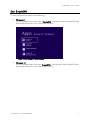
Start SimpleSYN ........................................................................................................ 9
Exiting SimpleSYN ................................................................................................ 11
Trial version ............................................................................................................ 12
Buy..................................................................................................................... 13
Activate............................................................................................................... 13
Help ................................................................................................................... 13
License Information .............................................................................................. 13
Activating SimpleSYN .............................................................................................. 14
Set-up .................................................................................................................... 16
Configuration wizard ............................................................................................ 16
Profile selection ................................................................................................ 17
Selection of SimpleSYN role .............................................................................. 18
Configuration of the SimpleSYN server ............................................................... 19
Set-up of SimpleSYN client(s) ............................................................................. 20
Select folders ................................................................................................... 23
Rerun the configuration wizard .............................................................................. 25
Synchronization ....................................................................................................... 26
Automatic synchronization .................................................................................... 26
Folder synchronization ...................................................................................... 26
Manual synchronization ........................................................................................ 26
Initial synchronization of an Outlook® folder ......................................................... 27
SimpleSYN notification area symbol .......................................................................... 28
SimpleSYN main window ......................................................................................... 30
Status ..................................................................................................................... 32
Pending synchronization ....................................................................................... 33
Synchronization conflicts .......................................................................................... 34
Modification conflict............................................................................................. 35
Delete conflict ..................................................................................................... 37
Options.................................................................................................................. 38
Profile selection ................................................................................................... 38
Start ................................................................................................................... 39
Client / Server ..................................................................................................... 39
SimpleSYN server settings .................................................................................. 40
SimpleSYN-client settings .................................................................................. 43
Advanced options ................................................................................................ 46
General settings ............................................................................................... 46
Conflict resolving ............................................................................................. 47
Windows Service .............................................................................................. 48
Synchronization settings ........................................................................................... 49
The computer has been configured as a SimpleSYN client ....................................... 49
Selection of the Outlook® folders for automatic synchronization ........................... 49
creativbox.net – Internet Solutions
3