1
Take the Camera out of the Box
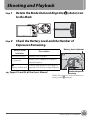
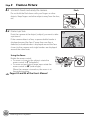
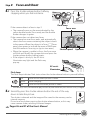
Remove the camera and accessories from the box and confirm that you have all the
items listed below.
COOLPIX S8100
Digital Camera
Camera Strap
USB Cable UC-E6
Audio Video Cable
EG-CP16
Rechargeable Li-ion Charging AC Adapter
Battery EN-EL12
EH-68P/EH-68P (AR)*
(with terminal cover)
ViewNX 2 installer CD
• Quick Start Guide (this guide)
• User’s Manual
• Warranty
* Plug adapter supplied only in countries or regions where required and its shape
varies with country or region of purchase. The shape of the Charging AC Adapter
EH-68P (AR) supplied in Argentina differs from that supplied in other countries (A6).
NOTE: A Secure Digital (SD) memory card, hereafter referred to as a “memory card”, is not
provided. Refer to page 184 in the User’s Manual for a list of approved SD memory cards.
Parts of the Camera
1
2
3
4
14
5
6
7
13
8
12
1
2
3
4
5
6
7
Power switch/power-on lamp
Mode dial
Zoom control
Shutter-release button
Charge lamp/flash lamp
b (movie-record) button
c (playback) button
8
9
10
11
12
13
14
9
10
11
Rotary multi selector
k (apply selection) button
l (delete) button
d button
Battery-chamber/memory card slot cover
Monitor
Flash
A: This icon indicates that more information is available elsewhere in this guide.
Take the Camera out of the Box
3