1
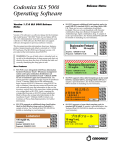
◆ ◆ ◆ The maximum expiration time for a drug was increased from 28 days (672 hours) to 1 year (8760 hours). An improved sort order for Total Dose/Total Volume values was implemented on SLS PCS TD/TV selection screen. The sort order is now as follows: TD values are descending (e.g., 10-->2) and TV values for a given TD value are ascending (e.g., 2-->10). The end of roll behavior was improved. Now at the end of a roll, the SLS PCS will print the last label, wait 10 seconds, cut the last printed label, and then automatically rewind the remaining liner. A user will then have to open up the back of the SLS PCS, remove the media core, and load a new roll of media. WARNING: The SLS PCS waits 10 seconds before it will cut the last label at the end of roll. If you open up the cover before the last label (or strip of labels in Batch Mode) is cut and press the Unload button, then the SLS PCS will not cut the labels; it will just rewind the roll. If the label(s) hasn’t cut, there is a risk as the roll rewinds that a label could peel off and become stuck inside the SLS PCS. You should make sure the last label(s) has cut before opening the front cover to replace the media. ◆ Defects Corrected ◆ Previously, the auto-load functionality would stop working if the SLS PCS failed to load label media (refer to Bulletin 903-403-001). In 1.6.0 SW, the auto-load functionality works, even if label media is incorrectly loaded and a user needs to reload media. ◆ When the custom label count (set in the AT) exceeded three, an error was displayed on the SLS PCS while the fourth label was printing. ◆ Previously, a SLS PCS No Printer error could occur for continuous printing. SLS PCS now supports Batch Mode. ◆ Previously, if the Wi-Fi on SLS PCS dropped out, then it would not automatically reconnect. In 1.6.0 SW, Wi-Fi will try to reconnect if it initially fails. ◆ The SLS PCS no longer reports Out of Media during a printer reset (e.g., a paper jam during printing). It will not erroneously log out of media in the database or AT Device Manager. ◆ Previously, a SLS PCS could hang when installing a software package. All known causes were eliminated. ◆ The Wi-Fi Edit button in the Network tab on the SLS PCS is now localizable. Known Common Issues This section details common issues with 1.6.0 software that are likely to be experienced by most users. ◆ If you have the PIN disabled on the SLS PCS, then the screen saver will occur after 60 minutes of non-use whether you are logged into SLS PCS or not. For example, if you have the PIN disabled on SLS PCS and create a Batch job that completes while you are away for more than 60 minutes but less than the time the SLS PCS is set to auto-logout, when you return to the SLS PCS the screen saver will be displayed but you will still be logged into SLS PCS. ◆ If you have the PIN enabled on the SLS PCS, then the screen saver will only occur when the auto-logout occurs. For example, if you have the PIN enabled on SLS PCS and you create a Batch job that completes while you are away for more than 60 minutes but less than the amount of time than the SLS PCS is set to auto-logout, when you return the screen saver will not be displayed. The screen saver will only be displayed if the SLS PCS hasn’t been used for 60 minutes and the system is logged out (either by auto-logout or user logout). The ability to print a Test Print from the Adjust Label in the Utilities screen was added. This now allows a user to see if their label position changes have moved the printed label how much and where they want it to be located on the label media. 2