1
3.10. Setting up Condor for Special Environments
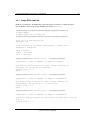
Restarting your Condor Pool
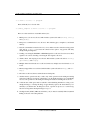
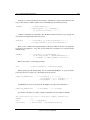
Once you are done performing whatever tasks you need to perform and you’re ready to restart your
pool, you simply have to send a condor on to all the condor master daemons on each host. You can
do this with one command, so long as you run it from a blessed administrator machine:
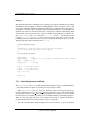
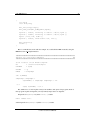
% condor_on ‘cat addresses‘
That’s it. All your daemons should now be restarted, and your pool will be back on its way.
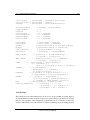
3.9.2 Reconfiguring Your Condor Pool
If you change a global config file setting and want to have all your machines start to use the new
setting, you must send a condor reconfig command to each host. You can do this with one command,
so long as you run it from a blessed administrator machine:
% condor_reconfig ‘condor_status -master‘
NOTE: If your global config file is not shared among all your machines (using a shared filesystem), you will need to make the change to each copy of your global config file before sending the
condor reconfig.
3.10 Setting up Condor for Special Environments
The following sections describe how to set up Condor for use in special environments or configurations. See section 3.4 on page 113 for installation instructions on the various Contrib modules that
can be optionally downloaded and installed.
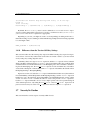
3.10.1 Using Condor with AFS
If you are using AFS at your site, be sure to read section 3.3.5 on “Shared Filesystem Config Files
Entries” for details on configuring your machines to interact with and use shared filesystems, AFS
in particular.
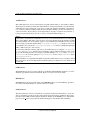
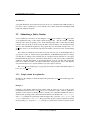
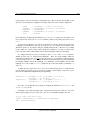
Condor does not currently have a way to authenticate itself to AFS. This is true of the Condor
daemons that would like to authenticate as AFS user Condor, and the condor shadow, which would
like to authenticate as the user who submitted the job it is serving. Since neither of these things can
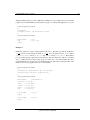
happen yet, there are a number of special things people who use AFS with Condor must do. Some of
this must be done by the administrator(s) installing Condor. Some of this must be done by Condor
users who submit jobs.
Condor Version 6.4.0 Manual
178