1
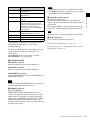
Menu
Function and operation ([
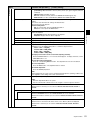
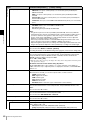
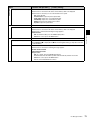
Function Switch
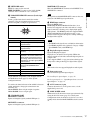
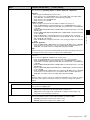
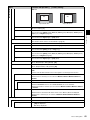
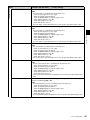
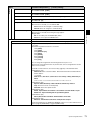
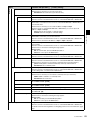
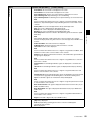
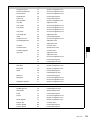
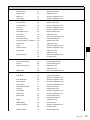
Sets whether or not to display the area marker 1 ([Off] or On).
Area Marker 1
]: factory setting)
Notes
• The area marker 1 is not displayed in the following cases:
– When the input signal has no sync signal
– When the internal signal is displayed
– When the HDMI/DisplayPort computer signal is input
– When H Delay/V Delay is set to On
– When Side by Side is set to On
– When Pixel Zoom is set to on
• The area marker 1 may be displayed in an incorrect position when External Sync is On.
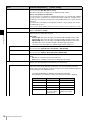
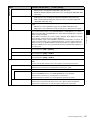
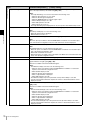
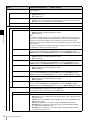
Area Marker 2
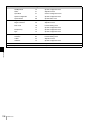
Sets whether or not to display the area marker 2 ([Off] or On).
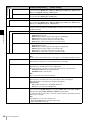
Center Marker
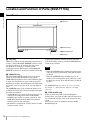
Sets whether or not to display the center marker ([Off] or On).
Chapter 3 Menu
Notes
• The area marker 2 is not displayed in the following cases:
– When the input signal has no sync signal
– When the internal signal is displayed
– When the HDMI/DisplayPort computer signal is input
– When H Delay/V Delay is set to On
– When Side by Side is set to On
– When Pixel Zoom is set to on
• The area marker 2 may be displayed in an incorrect position when External Sync is On.
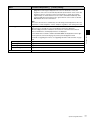
Notes
• The center marker is not displayed in the following cases:
– When the input signal has no sync signal
– When the internal signal is displayed
– When the HDMI/DisplayPort computer signal is input
– When H Delay/V Delay is set to On
– When Side by Side is set to On
– When Pixel Zoom is set to on
• The center marker may be displayed in an incorrect position when External Sync is On.
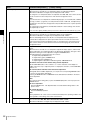
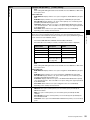
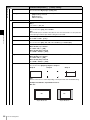
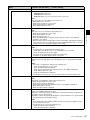
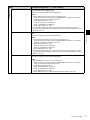
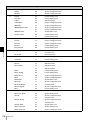
Aspect Marker-Line
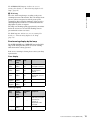
Sets whether or not to display the line of the aspect marker ([Off] or On).
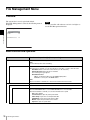
Notes
• The line of the aspect marker is not displayed in the following cases:
– When the input signal has no sync signal
– When the internal signal is displayed
– When the HDMI/DisplayPort computer signal is input
– When H Delay/V Delay is set to On
– When Side by Side is set to On
– When Pixel Zoom is set to on
• The line of the aspect marker may be displayed in an incorrect position when External Sync
is On.
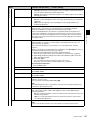
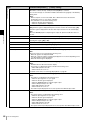
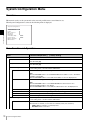
Aspect Blanking-Half
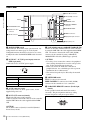
Sets whether or not to set the Aspect Blanking (the blanking outside the area of the aspect
marker) to half blanking ([Off] or On).
Notes
• The Aspect Blanking is not set to half blanking in the following cases:
– When the input signal has no sync signal
– When the internal signal is displayed
– When the HDMI/DisplayPort computer signal is input
– When H Delay/V Delay is set to On
– When Side by Side is set to On
– When Pixel Zoom is set to on
• The Aspect Blanking may be displayed in an incorrect position when External Sync is On.
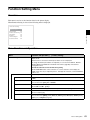
Function Setting Menu
69