1
4.0 Connecting the CRS940
Power and Activity LEDs on the Base Station
The power light is on when the base is connected to a
PC. The power light also serves as a channel
indicator every 30 seconds and then returns to show
power status.
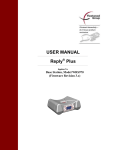
Figure 3. CRS940 Base Station
4.1 USB
For the initial USB connection, internet access is
recommended for obtaining drivers. If internet is not
available, insert the Hardware Manual CD that came
with the CRS940 Base Station.
Every 30 seconds and at power up the indicator turns
off followed by a series of rapid blinks. After the
rapid blinks, a blink of the indicator will occur for
each tens digit. When the tens are finished blinking,
an off state will precede another series of rapid
blinks. After the second rapid blinks, a blink of the
power indicator will occur for each ones digit. Once
complete, the Power indicator will turn off and
shortly return to a steady illuminated state. Two
examples are shown below:
The USB connection is capable of powering the base
unit along with the data connection. Connect the
included USB cable to the base and the other end to
an open USB port on the PC or hub. If prompted by
Windows, select to install the drivers automatically.
The PC alerts when the hardware is installed and
ready to use.
4.2 Software
Activate the Reply® CRS940 compliant
software application. Connect to the
Base Station (see your software manual
for further instructions) and start a
polling session. The system is now
ready to process responses from assigned
keypads.
Two-way
radio
communication is now operational
between the Base Station and keypads.
Power LED Sequence for a Base on Channel 4.
ON
1
2
POWER LED ON
3
4
ON
POWER LED OFF
Power LED Sequence for a Base on Channel 13.
ON
1
1
2
3
ON
4.3 Power/Activity Light Function
The base displays both power and RF
activity. The activity light illuminates
when keypad data is received. The
activity light blinks briefly upon receiving one
keypad. However, if many keypads are transmitting
simultaneously, the light may appear to blink every ½
second.
POWER LED ON
POWER LED OFF
3