1
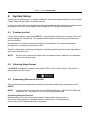
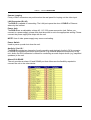
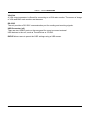
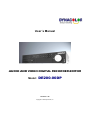
DVR-E - Model: DE200-00DP
3.3
Funcional Keys
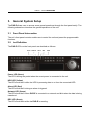
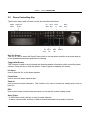
The DVR-E functional keys on the front panel for normal operation are described as follows.
.
Dome Mode
Channels
Call
Play/Stop
SEQ
Freeze
Menu
Search
ESC
Zoom/Enter
Direction Buttons
Shuttle Jog
CALL
• In Live mode, press to enter call monitor control mode.
• In Playback mode, press to quick export video to external device, including USB CD-RW
and ThumbDrive®, etc.
Direction Keys
• In Zoom mode, these keys function as Direction keys.
• In the OSD setup menu, the Direction keys are used to move the cursor to previous or next
fields. To change the value in the selected field, press UP / DOWN keys.
UP
RIGHT / DOWN / LEFT
Dome
Press the key to enter dome control mode.
User´s Manual
13