1
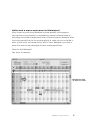
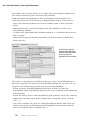
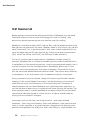
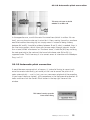
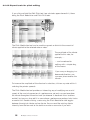
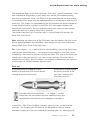
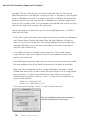
03-07 Note separators
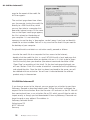
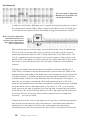
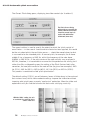
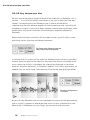
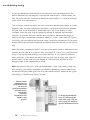
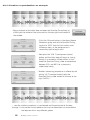
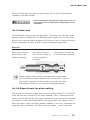
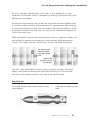
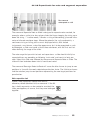
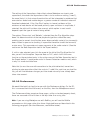
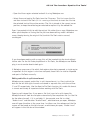
Here we have introduced
an échappée
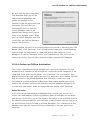
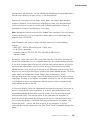
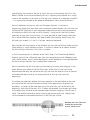
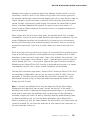
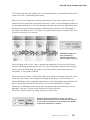
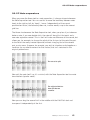
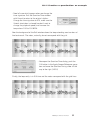
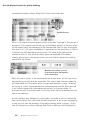
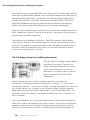
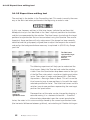
When you create a division within a note, Melodyne calculates the average pitch of
each of the two parts separately and then tries to select the most appropriate split
point. This may cause the newly created separator to appear slightly to the right or
left of the point at which you clicked. You can, however, override the split point
chosen by dragging the separator to the exact position you want.
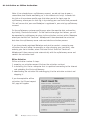
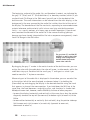
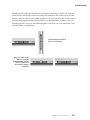
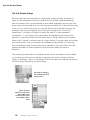
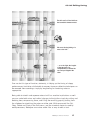
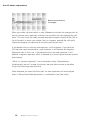
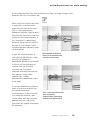
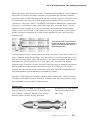
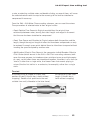
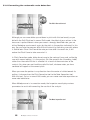
If you double-click an existing note separator, it will disappear. If you hold the
[Alt] key and move the pointer to a note separator, it will become the Segment
Separation tool; in this case, if you double-click on the note separator, it will
become a segment separator, which is denoted by a pair of square brackets placed
back to back.
“What is a segment separator?” you are probably asking. Good question.
Unfortunately, we can’t answer it quite yet, because there are one or two other
things that have to be explained first.
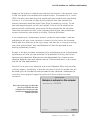
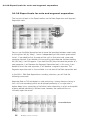
Note: whenever you select the Main tool, the note separators will be displayed
(even if Always Show Note Separations is unchecked in the View menu).
44
Melodyne uno user manual