1
Excel Templates for ACT! User’s Manual
3
Purpose of the add-on
Excel Templates for ACT! creates a bi-directional link between ACT! and Excel. You may create
MS Excel templates the same way you create MS Word templates in ACT!, ie. by inserting fields
in an Excel document.
Excel Templates for ACT! also allows to make use of Excel powerful calculation features to
update fields in ACT! by allowing you to map cells from your Excel spreadsheet to your ACT!
fields. So you could export data to Excel, have Excel perform calculations and import the results
of these calculations in ACT!.
Relationship between Excel Templates and Quote/Invoice Maker
Quote/Invoice Maker for ACT! brings additional features to Excel Templates for ACT!. Whereas
Excel Templates for ACT! allows to merge contact fields in your Excel documents,
Quote/Invoice Maker for ACT! also allows to merge product and opportunities fields, a feature
particularly useful to create quotes or invoices directly from your ACT! opportunities.
Installation procedure
Download the program file from our download page and double-click it to start the installation.
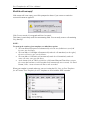
An icon should have been added to your Contact toolbar to launch Excel Templates directly from
within ACT!.
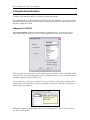
ACT! should automatically add an icon to the Contact Detail window and an item to the Tools
menu. These icon and menu item are the only ways to start your Exponenciel add-on.
Upgrade from previous versions
If you are upgrading from a version that supported ACT! 5.0, 2000 or 6.0, 2004, you will have to
redo your templates because both versions are not compatible.