1
AppoTech OTP Programmer
Rev 2.5.0
USER MANUAL
Table of Contents
Chapter 1 Introduction.........................................................................................................4
Chapter 2 Preparation..........................................................................................................4
2.1 Upgrade Instructions....................................................................................................4
Chapter 3 Install Software....................................................................................................6
3.1 Installation................................................................................................................... 6
3.2 Uninstallation............................................................................................................. 10
Chapter 4 Install Hardware.................................................................................................11
4.1 For Microsoft Window XP Users................................................................................11
4.2 For Microsoft Window Vista / 7 Users........................................................................13
Chapter 5 Software Issue...................................................................................................14
5.1 Start Application.........................................................................................................14
5.1.1 For Microsoft Window XP Users.......................................................................14
5.1.2 For Microsoft Window Vista / 7 Users...............................................................14
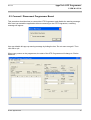
5.2 Connect / Disconnect Programmer Board..................................................................15
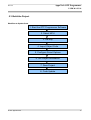
5.3 Build the Project.........................................................................................................17
5.3.1 Start the OTP Programmer Software................................................................18
5.3.2 Select MCU......................................................................................................19
5.3.3 Set Encryption Key...........................................................................................19
5.3.4 Import object code............................................................................................19
5.3.5 Configure smart options....................................................................................20
5.3.6 Set project information......................................................................................20
5.3.7 Save project.....................................................................................................21
5.3.8 Code update.....................................................................................................21
5.4 Utilities....................................................................................................................... 22
5.4.1 Project Management........................................................................................22
5.4.2 Encryption........................................................................................................24
5.4.3 Program Counter..............................................................................................25
5.4.4 Read User Space.............................................................................................27
5.4.5 ID Generator.....................................................................................................28
5.4.6 Online Programming.........................................................................................31
5.4.7 Configure Top Board.........................................................................................34
5.4.8 Firmware Update..............................................................................................36
5.4.9 Firmware Update in Recovery Mode................................................................36
Chapter 6 Hardware Issues................................................................................................38
6.1 Hardware Overview...................................................................................................38
6.1.1 Boot up and Information display.......................................................................38
6.1.2 Operation Modes..............................................................................................41
2
© 2011 AppoTech Ltd