1
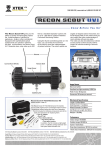
Quick Start Guide ©2013 ReconRobotics Operational Specifications Range: up to 100 feet (30 meters) indoors or non-line-of-sight, 300 feet (91 meters) outdoors within line-of-sight Battery run time on full charge: Robot = 60 minutes OCU II = 120 minutes Robot Speed: 1.5 feet (0.46 meters) per second Radio Transmission: Analog Robot Drop Shock Resistance: 30ft/9.1m vertical Robot Throw Shock Resistance: 120ft/36.5m horizontal Matching Frequency Channels The operating frequency channel is indicated by a sticker on the robot and OCU II. They must match for successful operation. To deploy multiple robots within the same area of operation, different channels must be used. When pairing an OCU II and a Robot for operation, the channel designations must match identically. Equipment on channels A.2, B.2, and C.2 is not compatible with equipment programmed to channels A, B, and C. When operating multiple robot/OCU II systems simultaneously, make sure you are using two robots with different channel letters, for instance A.2 and C. Two robots, one on channel A.2 and one on channel A, will interfere with each other and not work well in the same environment. Basic Deployment Instructions 1. 2. 3. 4. 5. 6. 7. 5 Charge robot or OCU II if needed. Rotate OCU II antennas to an upright position. Switch OCU II on. Pull pin from robot. Confirm that robot is broadcasting video and accepting command from the OCU II before deploying. If using headphones with a Throwbot XT Audio robot, plug in and test the headphones at a low volume before using. Drop or throw robot into target environment. Wait two seconds after robot lands to allow gyroscope to stabilize before operating.