1
DVC GmbH
1
Quick Start
1.1
Take Recording
megacine User Manual
Version 1.0
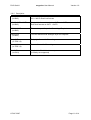
1. Connect power supply to the connector „POWER“ (or use a battery pack).
2. Press the power switch upwards to start the unit.
3. Connect a video source (camera, playout system, etc.) to „HD-SDI IN1“
(for a dual link signal connect the second cable to „HD-SDI IN2“).
to switch the unit into record standby mode.
4. Press the button
5. Start the video signal at the source.
6. Press the button
to start recording.
7. Press the button
to stop recording.
8. Stop the video signal from the source.
Repeat steps 4 – 8 to record more takes.
1.2
Take Backup
1.
2.
3.
4.
5.
6.
Connect power supply to the connector „POWER“ (or use a battery pack).
Press the power switch upwards to start the unit.
Connect the unit via the FireWire or Fibre Channel cable to a PC.
Wait until the PC shows the megacine as a newly connected hard disk.
Copy files (takes are shown as folders, frames as single files).
Disconnect the unit from the PC.
© DVC 2007
Page 2 of 14