1
Chapter 8 – Support Tools and Features
Feature Selection Tool
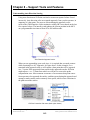
Feature Selection Tool provides expanded capabilities to Geomet through the use
of random feature selections. Geomet has been developed over the years as a
sequential part-programming tool. This means that operation normally take place
on the last sequence of features. For example if you want to obtain the distance
between two coplanar circles, press the distance key assuming the two circles
were the last two features in the report stack. If they are not, then recall the circles
to ensure they are the last two features in the report.
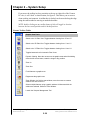
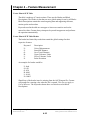
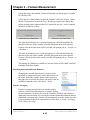
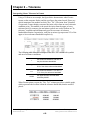
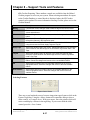
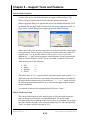
Feature Selection allows you to select these features anywhere in the report and
perform the distance function. From the Feature Selection dialog, you can
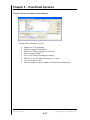
perform the following:
•
•
•
•
•
•
•
•
Distances
Intersections
Angles
Bisects
Fit Lines, Circles, Planes, Cylinders
Fit Cylinder from Circles
Basic Math Calculations
Edit Tolerance Values in Groups
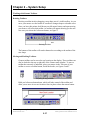
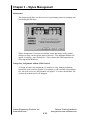
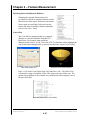
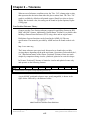
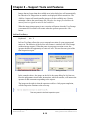
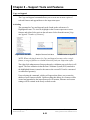
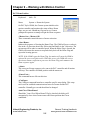
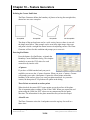
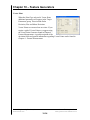
To activate the Feature Selector anytime
during your inspection process, press the
< ~ >, key on your keyboard. You can also
highlight features in your inspection report and
through the right-click submenu, choose
[Feature Selection Tool].
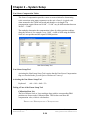
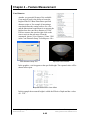
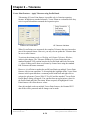
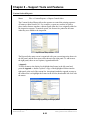
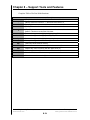
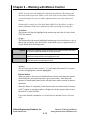
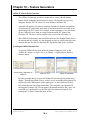
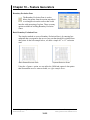
How the feature selection tool displays features is dependent on whether features
were highlighted before starting the tool. If no features were highlighted, then the
tool will display all features in your report. Should you have previously
highlighted some features, then only those features will appear in the tool.
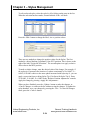
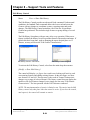
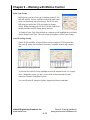
The tool is designed to provide you with a list of the current inspection. This list
can be sorted in many ways to assist in easier selection of features.
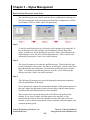
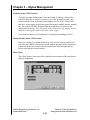
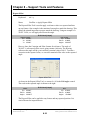
Using PCS Filters
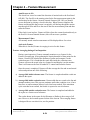
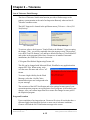
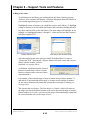
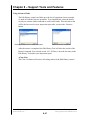
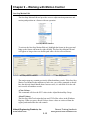
There are several filters you can use in conjunction with viewing the features. The
first filter applies to Coordinate Systems. By default, the feature selection will
show all features regardless of PCS affiliation. If you want to choose a specific
PCS, use the drop down box to choose an existing PCS. There is a button labeled
<Current PCS> which will take you directly to the current PCS of the inspection
Helmel Engineering Products, Inc.
www.helmel.com
Geomet Training Handbook
www.geomet-cmm-software.com
8-8