1
CONTENTS
Notice ················································ 3
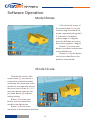
Model Mirror ·························· 19
Machine Diagram
View Mode ······························ 19
Front and Back ························· 4
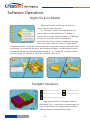
Right Click on Model ············ 20
Hotend / Feeder ····················· 5
Toolpath Structure ················ 20
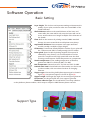
Basic Setting ··························· 21
Hardware Installation
Advanced Setting ················· 22
Unpacking ································· 6
Install Build Platform ············· 7
Expert Setting ························ 23
Install Feeder ····························· 8
Skirt/Brim/Raft ······················ 24
Plugins ····································· 24
Printer Operation
Start/End GCode ·················· 25
LCD Screen ································ 9
Keypad / Knob ························ 9
Dual Head Printing ·············· 25
LCD Menu Tree ····················· 10
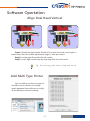
Align Dual Head Horizon ··· 26
Leveling Platform ················ 11
Align Dual Head Vertical ···· 27
Paving Crepe Paper ············· 11
Add Multi Type Printer ······· 27
Frequently Asked Questions
Load Filament ························ 12
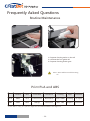
Routine Maintenance ········· 28
Unload Filament ··················· 13
Print PLA and ABS ··············· 28
Software Operation
Paving Kapton ······················ 29
CreatWare Setup ·················· 14
Quick Print UI ······················· 15
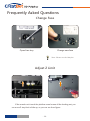
Change Fuse ·························· 30
Print Your First Model ········ 15
Adjust Z Limit ························ 30
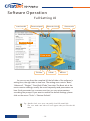
Full Setting UI ······················· 16
Hardware Troubleshoot ····· 31
Mouse Operation ················ 17
Printing Troubleshoot ········ 32
Model Rotate/Scale ············ 18
Specifications ······························ 33
Icon conventions
Tip icon to remind users to have a good method or technique.
Note icon, to remind the user must be given adequate attention.
Prohibition icons, prevents users from unauthorized operation.
26 Jun 2015
- 2-