1
CHARGING programs and options
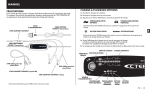
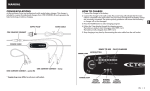
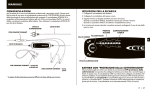
Press the MODE-button to select between the charging programs and to add charging
options. The LEDs will indicate which programs and options that are selected. The selected
program will be memorised and restarted next time the charger is connected.
The table explains the different Charging Programs:
Program
Battery Size (Ah)
ERROR LAMP
If the error lamp is lit, check the following:
1. Is the chargers positive lead connected to the battery´s
positive pole?
2. Is the charger connected to a 12V battery?
Explanation
1.2–14Ah
Small battery program, 0.8A
Use for smaller batteries.
14–160Ah
Normal battery program, 5A
Use for normal sized batteries.
3. Has charging been interrupted in STEP 1, 2 or 5?
Restart the charger by pressing the MODE-button. If charging is still
being interrupted, the battery...
STEP 1: ...is seriously sulphated and may need to be replaced.
STEP 2: ...cannot accept charge and may need to be replaced.
STEP 5: ...cannot keep charge and may need to be replaced.
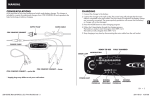
POWER LAMP
If the power lamp is lit with a:
1. STEADY LIGHT
The mains cable is connected to the wall socket.
Charging Options
Option
RECOND
Explanation
Temp range
Cold weather option
Use for charging at low temperatures. Cold weather
option increases charging voltage
-30°C–0°C
(-22ºF–32ºF)
Recond option
Use to return energy to empty batteries. Recond your
battery once per year and after deep discharge to
maximise lifetime and capacity. The Recond option
adds STEP 6 to the selected charging program.
-30°C–+50°C
(-22ºF–122ºF)
2. FLASHING LIGHT:
The charger has entered the energy save mode. This happens if the charger
isn´t connected to the battery in 2 minutes.
READY TO USE
The table shows the estimated time for empty battery to 80% charge
BATTERY SIZE (Ah)
2Ah
8Ah
20Ah
60Ah
110Ah
4 • EN
TIME TO 80% CHARGED
2h
8h
4h
12h
26h