1
Table of Contents
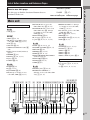
List of Button Locations and
Reference Pages
Receiving Broadcasts
Storing FM stations automatically
(AUTOBETICAL)1) ...................... 32
Direct tuning ........................................ 32
Automatic tuning ................................. 33
Preset tuning ........................................ 33
Using the Radio Data System (RDS) 1) .... 35
Main unit ............................................... 5
Hooking Up the Components
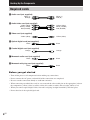
Required cords ....................................... 6
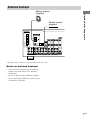
Antenna hookups ................................... 7
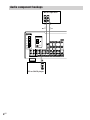
Audio component hookups .................... 8
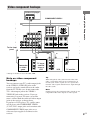
Video component hookups .................... 9
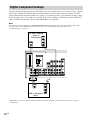
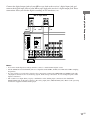
Digital component hookups ................. 10
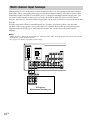
Multi channel input hookups ............... 12
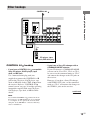
Other hookups ..................................... 13
Other Operations
Naming preset stations and program
sources ........................................... 37
Recording ............................................ 37
Using the Sleep Timer ......................... 38
Adjustments using the
SET UP button .............................. 38
CONTROL A1 control system ......... 39
Hooking Up and Setting Up
the Speaker System
Speaker system hookups ..................... 15
Performing initial setup operations ..... 17
Multi channel surround setup .............. 17
Checking the connections .................... 22
Operations Using the Remote
RM-PP4112)
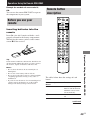
Before you use your remote ................ 42
Remote button description ................... 42
Selecting the mode of the remote ........ 45
Programming the remote ..................... 46
Basic Operations
Selecting the component ..................... 23
Changing the display ........................... 24
Operations Using the Remote
RM-U305C3)
Before you use your remote ................ 49
Remote button description ................... 49
Changing the factory setting of
a function button ........................... 52
Enjoying Surround Sound
Automatically decoding the input
audio signal ................................... 25
Selecting a sound field ........................ 25
Using only the front speakers
(2 Channel Stereo) ......................... 27
Enjoying stereo sound in multi channel
(Dolby Pro Logic ) ..................... 27
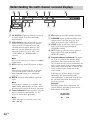
Understanding the multi channel
surround displays .......................... 28
Customizing sound fields .................... 29
GB
Additional Information
Precautions .......................................... 53
Troubleshooting ................................... 53
Specifications ...................................... 56
Tables of settings using SURR, LEVEL,
EQ, and SET UP buttons ............... 59
Adjustable parameters for each
sound field ........................ Back page
1)
2)
3)
Models of area code CEL, CEK only.
Models of area code U, CA only.
Except for models of area code U, CA.
3GB