1
50
Hans Hagen
MAPS 41
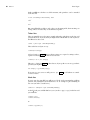
A simple cld file looks like this:
context.starttext()
context.chapter("Hello There!")
context.stoptext()
So yes, you need to know the ConTEXt commands in order to use this mechanism.
In spite of what you might expect, the codebase involved in this interface is not that
large. If you know ConTEXt, and if you know how to call commands, you basically
can use this Lua method.
The examples that I will give are either (sort of) standalone, that is, they are dealt
with from Lua, or they are run within this document. Therefore you will see two
patterns. If you want to make your own documentation, then you can use this variant:
\startbuffer
context("See this!")
\stopbuffer
\typebuffer \ctxluabuffer
I use anonymous buffers here but you can also use named ones. The other variant
is:
\startluacode
context("See this!")
\stopluacode
This will process the code directly. Of course we could have encoded this document
completely in Lua but that is not much fun for a manual.
The main command
There are a few rules that you need to be aware of. First of all no syntax checking
is done. Second you need to know what the given commands expects in terms of
arguments. Third, the type of your arguments matters:
nothing
string
array
hash
boolean
:
:
:
:
:
:
just the command, no arguments
an argument with curly braces
a list between square backets (sometimes optional)
an assignment list between square brackets
when true a newline is inserted
when false, omit braces for the next argument
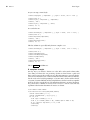
In the code above you have seen examples of this but here are some more:
context.chapter("Some title")
context.chapter({ "first" }, "Some title")
context.startchapter({ title = "Some title", label = "first" })
This blob of code is equivalent to:
\chapter{Some title}
\chapter[first]{Some title}
\startchapter[title={Some title},label=first]