1
STP 55-88M14-SM-TG
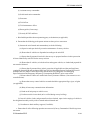
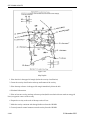
6. Review vehicle groups.
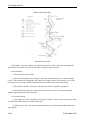
a. Select Review Groups from the Options Menu of MTS Messenger.
b. Select a group from the Select Control Group. The vehicles assigned within the selected group
will be displayed in the Vehicles in Group box .
c. Modify Groups.
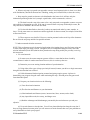
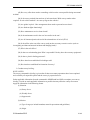
(1) Select Modify Groups from the MTS Control Station Messenger menu.
(2) Select the control group to be modified.
(3) Select vehicles and press the left or right arrow symbol to add or remove vehicles from the
group. Press the Shift and Ctrl together to select multiple vehicles.
d. Add a new group.
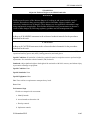
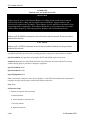
NOTE: Select Add New Group from the MTS Messenger control station menu. The new group may add
new MTS units. Mobile units will be removed from their existing group and added to the new group,
while control stations will be added to the new group and remain in their existing group. This allows the
control station operator, System Administrator, or CSSAMO the ability to customize control groups to
suit the mission.
7. Promote Mobile to CS
NOTE: Under certain situations, a mobile unit may need promotion to control station status.
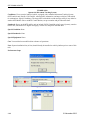
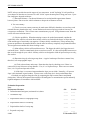
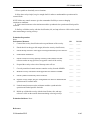
a. Select Control Station, Promote Mobile to CS on the MTS Messenger menu bar.
b. Select a control group.
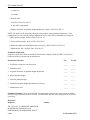
c. Identify and select the unit within the control group needing promotion and press Promote Mobile.
d. A window will appear confirming the mobile unit’s promotion to a control station. The mobile
unit will receive notification of its new status in about five minutes.
NOTE: If a user attempts to promote a unit already promoted, or, if a unit demoted to mobile unit status
while choosing what unit to promote will receive a message indicating the attempt failed.
8. Demote CS to Mobile
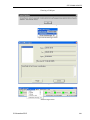
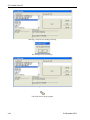
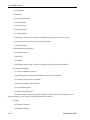
a. Select Control Station, Demote CS to Mobile on the MTS Messenger menu bar.
b. Select a control group. Identify and select the unit within the control group that should be demoted
and press Demote CS.
NOTE: A control station can NOT be demoted if they belong to more than one Group. Before they can be
demoted they must be removed from all but one group. The Modify Control ON allows an Administrator
to remove the unit from extra groups.
c. A window will appear showing status of demotion.
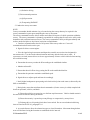
9. Release Bumper Number
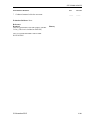
a. Select Release Bumper Number on the Control Station menu.
21 November 2013
3-305