1
ELNEC s.r.o.
Programming a device
BeeHive8S can operate in two modes:
Engineering mode
Production mode
for creating a project
for mass production
Engineering mode
Warning:
This mode is available only when external display, keyboard and mouse are connected
to BeeHive8S.
To switch to Engineering mode use File / Switch to Engineering mode.
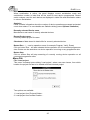
This part of the software is focused on the quick and easy preparation of the project file
for use in the production mode of the control software.
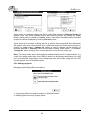
Each programming module is driven by an easy-to-use control program with pull-down
menu, hot keys and on-line help. Selecting of the device is performed by its class, by
manufacturer or simply by typing a fragment of vendor name and/or part number. It is
the same time proven software, as is used for all other Elnec single-site programmers.
Engineers can use all properties of this software and can make a project for mass
production.
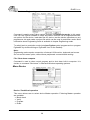
Standard device-related commands (read, blank check, program, verify, erase) are
boosted by some test functions (insertion test, connection check, signature-byte check),
and some special functions (autoincrement, production mode - start immediately after
insertion of chip into socket).
All known data formats are supported. Automatic file format detection and conversion
are done during loading of file. It is possible to use Jam files (JEDEC standard JESD71) and VME files
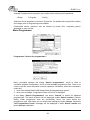
The rich-featured auto-increment function enables one to assign individual serial
numbers to each programmed device - or simply increments a serial number, or the
function enables one to read serial numbers or any programmed device identification
signatures from a user created file.
The software also provides a lot of information about programmed device. As an
example, the drawings of all available packages, explanation of chip labeling (the
meaning of prefixes and suffixes on the chips).
16