1
CONNECTING
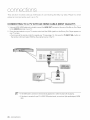
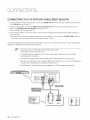
TO A TV WITH DVI CABLE (BEST QUALITY)
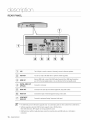
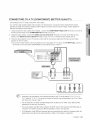
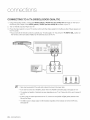
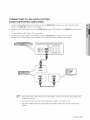
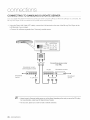
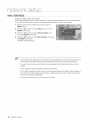
1. Using the HDMI-DVI cable (not included), connect the HDMI OUT terminal on the rear of the Blu-ray Disc Player
to the DVI IN terminal of your TV.
2. Using the audio cables, connect the AUDIO (red and white) OUT terminals on the rear of the Blu-ray Disc
Player to the AUDIO (red and white) IN terminals of your TV.
Turn on the Blu-ray Disc Player and TV.
3. Press the input selector on your TV remote control until the DVIsignal from the Blu-ray Disc Player appears on
your TV screen.
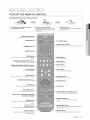
• If you have set the remote control to operate your TV (see pages 18-19), press the TV INPUT SEL. button on
the remote control and select HDMI as the external source of the TV.
Connecting the HDMI cable while the Blu-ray Disc Player's power is on will result in the player's video output being
changed to HDMI mode automatically (see page 39).
Dependingon yourTV,certainHDMIoutputresolutionsmaynot work.
Pleasereferto the user'smanualofyourTV.
If an HDMI-DVI
cableis pluggedintothe TV,the Blu-rayDiscPlayer'soutputresolutionissetto HDMI
automaticallywithin10 seconds.
If Component
andHDMIarebothconnected,HDMImodeis automatically
selected.(Seepage39)
Whenyouconnectthe playerto the TVusingthe HDMIcableforthe first timeor to a newTV,the HDMIoutput
resolutionwill be automaticallysetto the highestprovidedbythe TV
Ifthe HDMIcableis connectedor removedduringplaybackofa CDDA,the playerwill stop playing.
22 connections