1
VBSS100SL User Guide
100 Hz Speed Sensor
Upgrading the VBSS Firmware
Firmware refers to the operating software inside the VBSS Speed Sensor. The firmware is responsible for all of the functions
within the VBSS and from time to time, firmware updates will be released by Racelogic to improve or enhance the way that the
VBSS works. The latest firmware will always be available on the Racelogic website:
www.firmware.racelogic.co.uk
It is recommended to check the web site periodically for updates. The VBSS upgrade files have a “.ruf” file extension. To upgrade
the VBSS firmware, download the latest firmware file from the Racelogic web site and copy this file onto your PC. If you have
done a full VBSS CD installation then you will have the upgrade programme automatically installed in the Utilities folder of VBSS
folder. If not then this can also downloaded from the website.
Connect you pc to the VBSS via the VBSS serial lead and apply power to the VBSS.
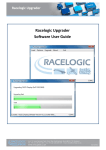
Either ‘double click’ on the ‘.ruf’ upgrade file, which auto runs the Upgrader software, or run the Upgrader software and load in
the ‘.ruf’ firmware upgrade file. Then follow the onscreen instructions and the VBSS firmware will be upgraded.
At the end of the process power down the VBSS when prompted, before further use During the upgrade process an upgrade log
file will have been created. This log file can be emailed to the support address below should any problems arise.
If you have any questions regarding the upgrade of the VBSS, please do not hesitate to contact: support@racelogic.co.uk
CAN output
The following details the default CAN output from a RLVBSS100SL.
Note, this is the Racelogic standard VBOX output, ie. Starting at 0x301
Format
Motorola
Data Bytes
ID*
Update
Rate
0x301
100ms
0x302
100ms
(1) Sats in
(2) Time since midnight UTC
view
(4) Position – Longitude MMMMM.MMMMM
0x303
100ms
(7) Altitude. WGS 84. (Metres)
0x304
0x305
0x306
0x307
0x308
100ms
100ms
100ms
100ms
100ms
(12) Longitudinal Accel. (G)
(15) Trigger Time (S)
(18) Radius of Turn (meters)
(20) Position – Longitude DD.DDDDDDD
(22) Distance from start speed to end speed (Meters)
0x309
100ms
0x30A
100ms
(11) Distance from Brake trigger (Meters)
(14) Distance travelled since VBOX reset (Metres)
Unused
(17) Lean Angle (degrees)
(19) Position – Latitude DD.DDDDDDD
(21) Distance from Brake Trigger (corrected) (Meters)
(23) Speed at start of test
(24) Speed at end of test
(kmh)
(kmh)
(26) Lap time (s)
(27) Split time (s)
0x30B
100ms
(29) True Heading (Degrees)
(30) Slip Angle (degrees)
(31) Pitch Angle (Degrees)
0x30C
100ms
(33) Yaw Rate (Degrees/S)
(34) Roll Angle (Degrees)
(35) Longitudinal Velocity
(Knots)
(36) Center of Gravity
0x3O
D
100ms
(37) Front Left
(38) Front Right
(39) Rear Left
(40) Rear Right
1
2
3
4
5
6
7
8
(3) Position – Latitude MMMM.MMMMM
(5) Speed. (Knots)
(8) Vertical velocity. (M/S)
Unused
(6) Heading (Degrees)
(10)
(9) Status
Status2
(13) Lateral Accel. (G)
(16) Trigger Speed
(25) Decel test time (s)
unused
(28) Status
unused
(32) Lateral Velocity
(Knots)
20