1
5.1.4 Graphic Control Panel Function Pages
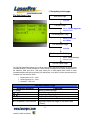
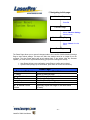
When the LaserPro S290 is powered on, the machine will perform a series of safety checks
and initialization routines. The LCD display screen will display the GCC copyright,
LaserPro logo, and machine initialization pages before going to the main work page.
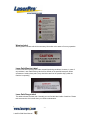
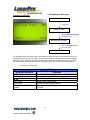
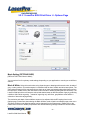
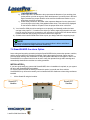
Main Work Page
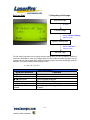
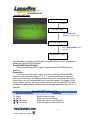
The main work page is the page that the LaserPro S290 will default to upon startup and will be the
“home base” for when navigating through the various functions of the control panel. This will be the
page that is displayed when you are processing your jobs. This page contains specific job
information such as the current job’s name, Speed, Power, PPI, DPI, processing / remaining times,
and jobs loaded.
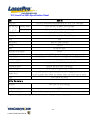
Main Work Page
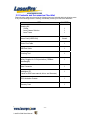
Relevant Buttons
F1 (Prev)
F2 (Next)
F3 (SP)
F4 (Func)
U / V / Y / Z Directional
Start / Stop
Delete
Auto Focus
▲ / ▼ Manual Focus Buttons
Function
Scroll through previous jobs
Scroll through next jobs
Go to Store Position Page for SmartCENTER
Go to Functions Page
Go to Carriage / Work Table Adjustment Page
Start / Stop the current job
Delete the current selected job
Initiate the auto focus function
Manually adjust the height of the work table
(Z-axis)
- 27 -
LaserPro S290 User Manual