1
“New MasterFormat” continued from page 1
mapped sections will also convert automatically back and forth when the MasterFormat
global switch is activated.
In addition to mapping the individual useradded sections, users will want to map any
cross-referenced section numbers within the
text to their corresponding numbers in the
new MasterFormat. Users accomplish this
second mapping task by inserting a special
MasterFormat Version choice that replaces
the original section number in user-added
paragraphs. The choice dialog box allows
the user to insert the two corresponding
section numbers, so the global
MasterFormat switch setting subsequently
will cause the appropriate section number to
be displayed.
Although it has significantly reduced the
work involved in updating specifications,
SpecLink won’t solve all our users’ problems related to MasterFormat conversion.
Outside consultants who use word processing instead of SpecLink may have to be
cajoled into cooperating within whatever
conversion timetable is ultimately established. Library organization will be affected,
and CAD details may have to be renamed or
renumbered. Each office will have to deal
with these related issues on an ad hoc
basis, relying on input from everyone
involved. In moving forward on the conversion process, it may be helpful to get some
ideas from CSI’s website. At
www.csinet.org/masterformat, you can share
your strategies and read about others in the
“MasterFormat Implementation Discussion
& Commentary” area. You can also order the
new MasterFormat publication from the
same location.
At BSD we are working to make the specifications transition as easy as possible for
our subscribers, and our technical support
group stands ready to help with software
and master specification issues. We won’t
be able to help you much in other aspects of
the transition, but we know that with careful
planning a complete conversion to the new
MasterFormat can be accomplished with a
minimum of expense and disruption. We
wish you good luck in that enterprise.
2 BSD LinkLine Winter 2004
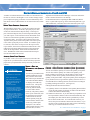
BSD SpecLink was used for CMA’s E*TRADE building project.
“CMA Architecture” continued from page 1
also ranked by DISPLAY & DESIGN
IDEAS magazine as one of the Top 30 Firms,
when comparing the amount of retail billings
(in millions) in 2003.
In addition to CMA’s retail and restaurant
work, the firm is involved in the planning
and design of numerous commercial,
governmental, telecommunications, industrial, multi-family housing and institutional
projects.
The need: Back in 1996 with a 40 person
staff, CMA was experiencing many frustrations with their spec writing system. Sam
Austin, Senior Project Architect, recalls,
“With our previous commercial spec writing
system, we had to wade through enormous
amounts of information, and then delete
what we didn’t want. Trying to accommodate differing client needs was also very
time-consuming and frustrating. We were
always experiencing out-of-date references
and information.” As the Chief Specification
Writer for the company, Austin made the
decision to find a better solution. After
evaluating SpecLink and using it on his first
project, Austin knew he had found his
answer.
The solution: Says Austin, “For many
years, I have written specs with most of the
available systems, and I can assure you that
SpecLink is the best I have used. We
subscribed to SpecLink in the fall of 1996,
just as I was starting work on a 185,000
square foot distribution center, so that
became our ‘test project.’ On jobs of that
size, we would normally have received 40 –
50 RFIs (Requests for Information) during
construction. Largely due to the clarity and
completeness of our specs (a two-volume
Project Manual) using SpecLink, we had
only 14 RFIs!”
Since that time, CMA has used SpecLink for
every type and size of project, and has
developed several in-house masters for
repeat clients. “Like many firms, we are
involved in a very broad range of project
types and sizes, and we have been able to
produce unique and unusual spec sections
with minimal effort using SpecLink,” states
Austin. “It’s almost as easy as using any
See “CMA Architecture” on page 3