1
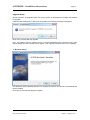
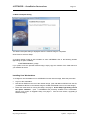
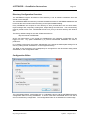
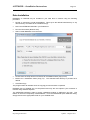
ASTEROID – Installation Instructions Page 14 4. Wizard Complete dialog The Wizard Complete dialog is displayed when the network image is completed. Click Finish to exit from Setup. A pre-built network image is also included on some ASTEROID CDs in the following location (depending on space available): D:\ASTEROID\Network_Image If you prefer to use the pre-built network image, simply copy the contents of the folder above to your network file server. Installing User Workstations To configure a user workstation to run ASTEROID from the network image, follow this procedure. Log on to the workstation. Run SETUP.EXE from the root of the network image. (N.B. Do not run SETUP from the CD, you must use SETUP in the network image to enable ASTEROID to be run from that image). Follow the instructions for running Full Setup, see page 4. At the Setup Type dialog choose the option “Network”. (N.B. If ASTEROID was previously installed on the workstation, SETUP may invoke an Upgrade Setup, see page 9. See the next section, Upgrading a Network Image.). Roy Morgan Research Update: 3 August 2015