1
Contents
Contents
1
1.1
2
2.1
3
4
5
6
7
7.1
7.2
7.3
8
8.1
8.2
Introduction
About the VP-727T Presentation Switcher Control Panel
Getting Started
Quick Start
Overview
Your VP-727T Presentation Switcher Control Panel
Installing in a Desktop
Installing on a Rack
Connecting the VP-727T
Connecting via RS-485
Connecting a PC (via RS-232)
Setting the Machine #
Operating the VP-727 using the VP-727T
Using the VP-727T WIPE DIRECTION Buttons
Making the Transition
1
1
1
1
2
3
7
9
10
11
12
12
13
13
14
8.2.1
8.2.2
Making a Transition Manually
Making a Transition Automatically
14
14
9
Technical Specifications
14
Figures
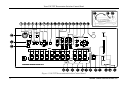
Figure 1: VP-727T Presentation Switcher Control Panel
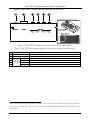
Figure 2: VP-727T Presentation Switcher Control Panel (Side Panel)
Figure 3: Cut Out Dimensions
Figure 4: Inserting the VP-727T into the Prepared Cut Out Opening
Figure 5: Inserting the Mounting Brackets through the Bracket Slits
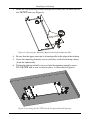
Figure 6: Securing the VP-727T into the Prepared Cut Out Opening
Figure 7: Connecting the VP-727T
Figure 8: Connecting the VP-727T RS-485 Ports
Figure 9: Connecting the PC
4
6
7
7
8
8
10
11
12
Tables
Table 1: VP-727T Presentation Switcher Control Panel Features
Table 2: VP-727T Presentation Switcher Control Panel (Side Panel) Features
Table 3: Defining the WIPE DIRECTIONS Buttons
Table 4: Technical Specifications of the VP-727T
5
6
13
14
i