1
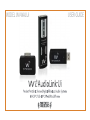
Wi AudioLink Ui
VoIP MICROPHONE SETUP
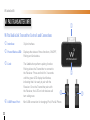
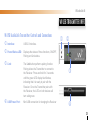
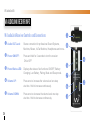
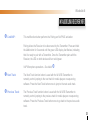
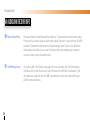
VoIP Setup Using the Wi USB AudioLink with Receiver
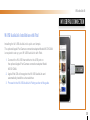
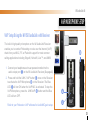
The built-in high quality microphone on the Wi AudioLink Receiver
enables you to conduct Podcasting or voice over the internet (VoIP)
chats from your MAC, PC or iPad with support for most common
calling applications including Skype®, Yahoo!®, Live™, and AIM®.
~
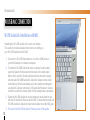
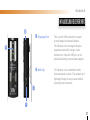
1. Connect your headphones or in-ear personal monitor into the
audio output port
on the Wi AudioLink Receiver (See page 20)
u
z
2. Press and hold the LINK / VoIP button
once on the Receiver
to activate the VoIP Microphone
on the Receiver. The Blue
LED
will turn ON when the VoIP MIC is activated. To stop the
VoIP Microphone, press the LINK/VoIP
button and the Blue
LED will turn OFF.
w
~
z
Refer to your Podcast or VoIP software for Audio/MIC gain setup.
Built-in MIC
z
w
21