1
ACS Basic Graphics Programming Manual
26 February 2015
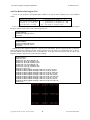
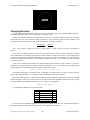
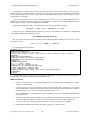
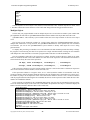
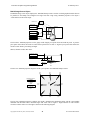
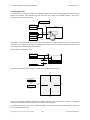
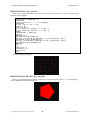
angle = ((360 + 90) - (second * 6) % 360)
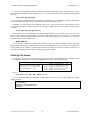
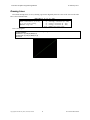
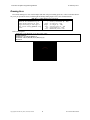
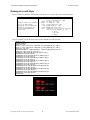
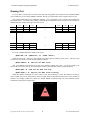
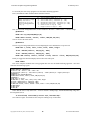
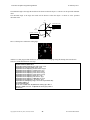
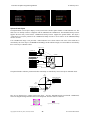
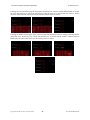
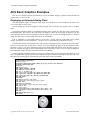
If you now change lines 90 and 150 to count seconds from 0 to 59 and add line 95 to compute the angle you will
see the motion being driven counter-clockwise in 6 degree increments as the seconds range from 0 to 59.
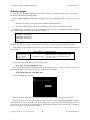
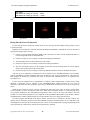
Rules for Making Things Move
1.
To avoid flickering when moving graphics by DRAWing, use the double-buffering sequence.
2.
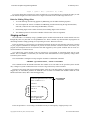
You can compute the X and Y coordinates for DRAWing circular motion using the trig functions SIN( )
and COS( ) and scale the results using the MULDIV( ) function.
3.
Incrementing angles rotate counter-clockwise, decrementing angles rotate clockwise.
4.
The modulus operator % returns the remainder of the division of the two arguments.
Staging an Event
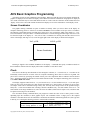
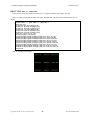
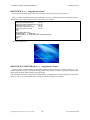
We could add a 1 second delay using a @TIMER system variable and increment the second variable from zero
through fifty-nine every time that we read @TIMER is zero. There is another way that will allow our program to do
other things instead of simply spinning in a loop waiting on a timer. Welcome to Events.
Events are changes in your program’s execution that can happen in between each statement. The linear execution
of your program’s statements is interrupted to process the event and then execution resumes from where your
program was interrupted. Events are associated with and triggered by some system variables and can occur as a
result of hardware or software actions.
You control how system variable events are processed in your program by associating them with an event
handler. The event handler is a subroutine you write that will be called when the event is signaled by changes in the
associated system variable.
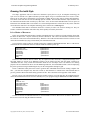
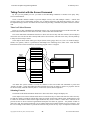
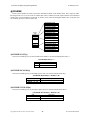
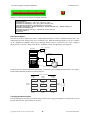
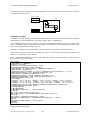
The event handler is configured or setup using the ACS Basic’s ONEVENT command:
ONEVENT @systemvariable, GOSUB linenumber
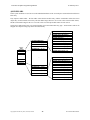
This command records the handler subroutine line number in an event table for the specified system variable
entry. Changes to system variables that cause events set a flag on their entry in the event table.
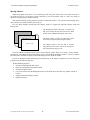
In between processing each program statement Basic scans the event table looking for flagged entries. When a
flagged entry is found Basic performs the GOSUB to the recorded event handler line number. When the event
handler subroutine returns, Basic clears the flagged entry.
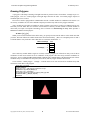
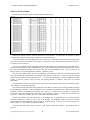
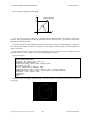
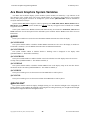
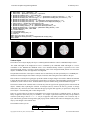
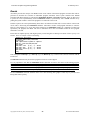
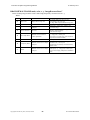
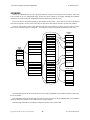
10 ONEVENT @SECOND, GOSUB 10000
Setup @SECOND
event handler
20 IF A < 5 THEN A = A + 1
30 PRINT A
@SECOND
changes
40 FOR N = 0 TO A
50 B = B + A
60 NEXT N
...
10000 REM Event Handler
10010 S = @SECOND
10020 RETURN
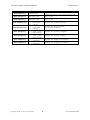
Events are prioritized – an executing event handler can only be interrupted by a higher priority event.
Copyright©1992-2015 by ACS, Sarasota, Florida
20
ALL RIGHTS RESERVED