1
GETTING STARTED
1-1
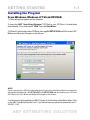
Installing the Program
From Windows Windows 8/7/Vista/XP/2000:
1) Close all open programs on the computer.
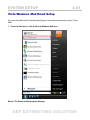
2) Insert the ABF "Auto Body Estimator" CD Disk in your CD Drive. It should start
automatically. If not, then select "RUN" from the Start Menu.
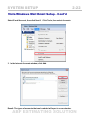
3) If Drive D: is the Letter of the CD Drive, then type D:\SETUP.EXE and Click on the "OK"
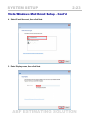
Button and follow the Prompts on the Screen.
NOTE:
If your computer has a CD Drive Letter other than D:, then click on the Browse Button and select the
appropriate Installation file -> E:/SETUP.EXE or F:/SETUP.EXE, etc. that matches your CD Drive
and Click on the "OK" Button and follow the Prompts on the Screen.
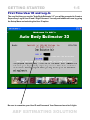
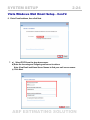
You have successfully Installed your ABF Program. At the Desktop or Start Button Menu, Click
on the ABF "Auto Body Estimator" Icon. If you should have any questions, please call us at 1209-267-1162
ABF ESTIMATING SOLUTION