1
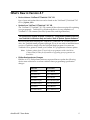
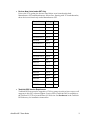
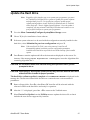
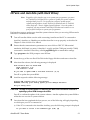
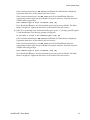
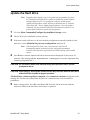
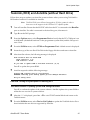
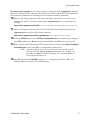
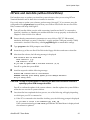
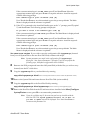
What’s New in Version 8.7 Device Lists on “UniFam 8.7/TaskLink 7.30” CD Lists of new and updated devices can be found on the “UniFam 8.7/TaskLink 7.30” CD in \Update_Info. Update from “UniFam 8.7/TaskLink 7.30” CD The “UniFam 8.7/TaskLink 7.30” CD contains all the software required for updating your programmer. TaskLink™ for Windows® allows for easy installation of “UniFam 8.7” CD contents (Boot File, System Files, and Algorithm Sets). For instructions on how to install “UniFam 8.7” programmer software from CD, see TaskLink for Windows Help and select “How to Update System Software.” Please note that after inserting the “UniFam 8.7/TaskLink 7.30” CD into your CD drive, the TaskLink install program will begin. If you do not wish to install the latest version of TaskLink, simply close the TaskLink install program. You must use TaskLink 4.50 or greater to install your UniFam V8.7 programmer software update. Note: Software updates from CD work only on programmers with a hard drive. Contact Data I/O Sales for information on upgrading your programmer to a hard drive. Philips Semiconductor Changes Effective in V7.3, Philips Semiconductor requested that we update the following device menu selections to conform with their latest programming specification changes: AutoSite V8.7 User Notes Old Name Now Called 89C51RB2 89C51RB2H 89C51RB2-PLC 89C51RB2H-PLCC 89C51RC2 89C51RC2H 89C51RC2-LQFP 89C51RC2H-LQFP 89C51RC2-PLCC 89C51RC2H-PLCC 89C51RD2 89C51RD2H 89C51RD2-PLCC 89C51RD2H-PLCC 2