1
BizWizard Professional
Users Manual for Version 3.x
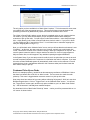
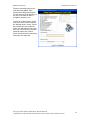
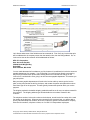
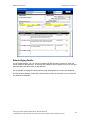
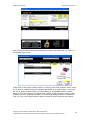
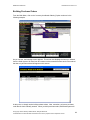
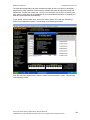
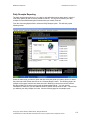
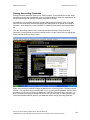
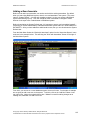
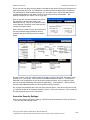
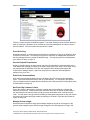
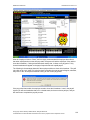
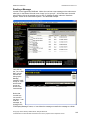
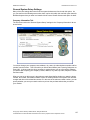
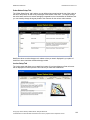
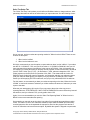
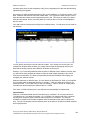
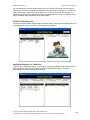
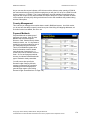
There are 5 major sections to BizWizard system. The Order Security section provides details on
what an employee is allowed to do as it relates to orders and management of orders in each of
these 5 sections. Let’s look at each security section in detail:
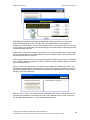
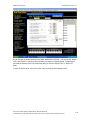
Override Pricing
Determines whether or not this associate is allowed to override the pricing set by default by what
is defined on the product. This setting can be given to supervisor or management personnel so
that only management can override the default pricing. You may also give this to all associates
(see Order Line Items on Page 7).
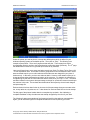
Override Deposit Requirement
Similar to override pricing, the order system may force the associate to collect a deposit on the
order based upon settings you supply in the system setup (See Order Setup Tab on Page 160) If
the associate has a checkmark in this box, the employee will be authorized to bypass the
requirement of taking a deposit. Again this can be given to supervisor and management
personnel only if you like.
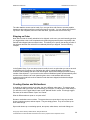
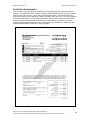
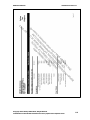
Work Order Summarizations
Work order summarizations determine who is allowed to print the work order summarization
report. This report shows what work is due on a particular day. You may wish to provide this
only to management that is responsible for scheduling of the daily tasks (see Printing Work Order
Summarizations on Page 47).
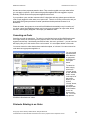
Not Picked Up Customer Letters
One of the reports in the system is a printout of letters that can be stuffed in envelopes and
mailed to the customer. These letters let the customers who have not picked up their orders in
the last 30 days know that their order is ready for pickup and please come in and pick-up the
order. You may wish to only give this functionality to management personnel so they can monitor
and control when these letters get mailed (see Mailing to Customers That Have Not Picked Up
Orders on Page 52).
Manage General Ledger
Determines who is allowed to setup general ledger categories as well as view reports on the
general ledger categories (see General Ledger Categories and Subcategories on Page 105).
© Copyright 1999 to 2004 by NetSoft Studio, All Rights Reserved.
All Trademarks and Services Marks mentioned herein are the properties of their respective owners.
131