1
Contents
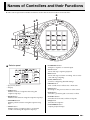
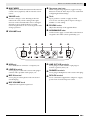
Names of Controllers
and their Functions ............... EN-1
Connecting to a
Computer ............................. EN-22
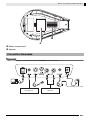
Connection Examples...............................................EN-3
Minimum Computer System Requirements ........... EN-22
Connecting TRACKFORMER
to Your Computer................................................... EN-22
Using MIDI ............................................................. EN-23
Saving and Loading TRACKFORMER Data
to a Computer and Editing TRACKFORMER
Data on a Computer............................................... EN-23
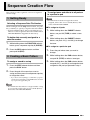
Sequence Creation Flow....... EN-4
1. Getting Ready.......................................................EN-4
2. Creating a Basic Pattern.......................................EN-4
3. Layering ................................................................EN-5
4. Increasing the Number of Patterns .......................EN-5
5. After You’re Done .................................................EN-5
Effect System......................... EN-6
Sampling Tutorial .................. EN-7
Assigning the Sampled Sound to all of the Pads......EN-7
Assigning a Sampled Tone to a Specific Pad...........EN-7
Sampling while Holding Down a
Sequence Step Key ..................................................EN-7
Specifying the Number of Beats and Sampling ........EN-8
Appendix .............................. EN-24
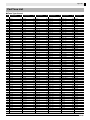
Step Sequence List ................................................ EN-24
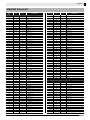
Pad Set Tone List................................................... EN-25
Pad Tone List ......................................................... EN-28
Drum Assignment List ............................................ EN-31
Effect List ............................................................... EN-33
Signal Diagram....................................................... EN-36
Internal Sound Source Operation Flow .................. EN-36
MIDI Implementation Chart
Mastering TRACKFORMER
Operations ............................. EN-9
Navigating Between FUNCTION Modes ..................EN-9
Producing a Particular Sound or Sounds..................EN-9
Muting a Particular Sound or Sounds .....................EN-10
Deleting Data ..........................................................EN-10
Copying Data ..........................................................EN-11
Changing the Pitch of a Sequence .........................EN-12
Changing the Number of Steps Per Measure.........EN-12
Applying a Swing Effect ..........................................EN-12
Entering the MIDI Control Mode .............................EN-13
Changing the Configuration of a Pattern ................EN-13
Changing the Pad Velocity .....................................EN-14
Changing the Pad Set Volume Level......................EN-14
Changing the Operation of a Pad ...........................EN-14
Changing the Initial Default Slice Length................EN-16
Using the Equalizer.................................................EN-16
Using the Metronome .............................................EN-16
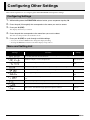
Configuring Other
Settings ................................ EN-17
Configuring Settings ...............................................EN-17
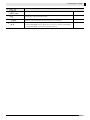
Menu and Setting List .............................................EN-17
Adjusting Controller
Operations ........................... EN-20
Calibrating Knob and Fader Alignment...................EN-20
Adjusting Pad Sensitivity ........................................EN-21
Company and product names used in this
manual may be registered trademarks of others.