1
Test the ISA Kit Sensor #9
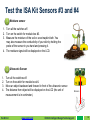
9 Potentiometer
turn
1.
2.
3.
4.
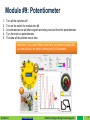
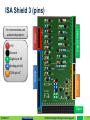
Turn all the switches off.
Turn on the switch for module box #9.
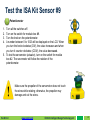
Turn the knob on the potentiometer.
A number between 0 to 1023 will be displayed on the LCD. When
you turn the knob clockwise (CW), the value increases and when
you turn it counter clockwise (CCW), the value decreased.
5. To test the servomotor (actuator), turn on the switch for module
box #2. The servomotor will follow the rotation of the
potentiometer.
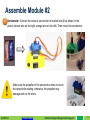
Make sure the propeller of the servomotor does not touch
the wires while rotating; otherwise, the propeller may
damage and cut the wires.
ISA Kit 1.0
www.isakit.com
© 2015 Intelligent Design Technology LLC
21