1
ISL-3200™ Digital Imaging Sensor Interface
Basic User Manual
Table of Contents
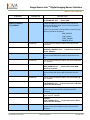
1. INTRODUCTION ........................................................................................................................................................3
2. CONTACT INFORMATION.......................................................................................................................................3
2.1 SALES AND SUPPORT .............................................................................................................................................3
3. REFERENCE DOCUMENTS ....................................................................................................................................3
4. GENERAL CONCEPTS ............................................................................................................................................4
5. ISL INSTALLATION ..................................................................................................................................................6
5.1 SOFTWARE INSTALLATION .......................................................................................................................................6
5.1.1 Starting the ISL Software Installation ...........................................................................................................6
5.2 ISL HARDWARE SETUP...........................................................................................................................................7
5.3 ISL HOST COMPUTER INTERFACE SETUP ...............................................................................................................7
5.3.1 External PCI Express Interface ....................................................................................................................7
5.3.1.1 External PCI Express Driver Installation................................................................................................................. 7
5.3.1.2 Connecting the ISL hardware to the host computer using External PCIe ............................................................ 7
5.3.2 USB 2.0 High Speed Interface .....................................................................................................................7
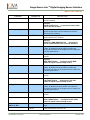
6. ISL APPLICATION SOFTWARE..............................................................................................................................8
6.1 ISL CONFIGURATION AND SUPPORT FILES .............................................................................................................8
6.1.1 isl_3010.bit .....................................................................................................................................................8
6.1.2 ISL.ini..............................................................................................................................................................8
6.1.3 Pdata.cfg ........................................................................................................................................................8
6.1.4 Decoding.cfg ..................................................................................................................................................8
6.1.5 PluginDecoders.cfg .......................................................................................................................................9
6.1.6 Recent files.ini ...............................................................................................................................................9
6.1.7 Sensor Adapter Board Configuration Files ..................................................................................................9
6.1.8 ISL Sequence Files .......................................................................................................................................9
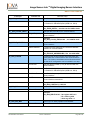
6.2 RUNNING THE ISL APPLICATION SOFTWARE .........................................................................................................10
6.2.1 ISL Menus ....................................................................................................................................................11
6.2.2 File Menu .....................................................................................................................................................11
6.2.3 Device Menu ................................................................................................................................................12
6.2.3.1 ISL System Submenu ............................................................................................................................................ 12
6.2.3.2 ISL Power Supplies Submenu............................................................................................................................... 13
6.2.3.3 PS-IO Tab of the ISL-3200 Power Supply Control Panel .................................................................................... 14
6.2.3.4 PS-A, PS-B, PS-C, PS-D Tab of the ISL-3200 Power Supply Control Panel..................................................... 14
6.2.3.5 PS-E, PS-F, PS-G, PS-H and PS-U Tabs of the ISL-3200 Power Supply Control Panel ................................. 15
6.2.3.6 Adapter Tab of the ISL-3200 Power Supply Control Panel ................................................................................. 15
6.2.3.7 Status LED Control Tab of the ISL-3200 Power Supply Control Panel .............................................................. 15
6.2.3.8 ISL Reference Clock Submenu............................................................................................................................. 15
6.2.3.9 ISL Digital I/O Submenu ........................................................................................................................................ 16
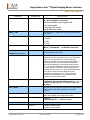
6.2.4 ISL Sensor Adapter Menu ..........................................................................................................................17
6.2.4.1 ISL Sensor Communication (I2C) ......................................................................................................................... 17
6.2.5 Capture Menu ..............................................................................................................................................19
6.2.5.1 Image Capture Settings Control Panel ................................................................................................................. 19
6.2.6 Tools Menu ..................................................................................................................................................23
ISL-3200
TM
Basic User Manual
Doc No: 210-0001-07
Page 2 of 38