1
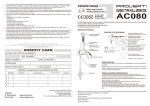
Quick guide by Ertebat Paydar Yekta co :
1.connect the flash to pc , Press key button on flash
2.enter the password on the keypad on the flash ( default password : 111111)
3.Press again the key button on flash
4.the unlock led is red and the flash is unclock
Product View
Lock LED
Unlock LED
KEY Button
Power Button
Product
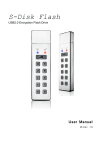
USB2.0 Secure Flash Drive
Material
Aluminum Case with Silicon key
Mode
Flash Drive
Features
Tough design for Dust and water resistant
Secure PIN Access with keypad
Real-time 256-bit AES Hardware Encryption
Software Free Design
Keypad
Wear Resistant Keypad
Drive Reset Feature
Encryption: AES Cipher-Block Chained mode
Comments
LED Indication
LED
Encryption Keys: 256-bit Hardware
Hashing: 256-bit SHA
OS
Windows 2000 / XP / Vista / Win7/Win8
Requirement
Mac OS 10.2 or higher
Indication
Instructions
Blue
Key is locked
Linux
Red
Key is unlocked, can
Android…)
Environment
transfer data
Blink
1
Inputting
time
password
Blink
Data
the
2.4.2
or
higher(such
as
Operating Temperature: 5°C ~ 40°C
Operating Humidity: 20%RH ~ 80%RH
user
Storage Temperature: -20°C ~ 70°C
is
Storage Humidity: 10%RH ~ 90%RH
being
transferred
Blue
Accepting
Blink
password
user
Capacity
8GB/16GB/32GB/64GB
Interface
USB2.0
Power Supply
USB Bus Power 5V/500mA
Size
8cm x 2.2cm x 0.7cm
Change password
A user password can be changed to almost any number that is desired. To create your new password be sure to follow the instructions below
1. The new password is 6 digits long.
2. The default user password is 111111. We recommend that you change the user password immediately for security reasons.
Step
Indication
1. Connected the key into the computer
2. Double press the Key button
in 2 second。
will be on Blue
will be on Blue
and
will blink Red
3. Input the old password
will blink Blue
4. Press the Key button
to confirm the old
will blink Red
password
5. Input a new password
will blink Blue
will blink Red
6. Press the Key button
to confirm the new
will blink Red
password
7. Input the new password again
will blink Blue
will blink Red
8. Press the Key button
to
complete the new password
OFF
will be on Red
Note:
If a mistake is made when inputting the password, Please repeat the above operation。
Ubuntu、