1
ADOBE FRAMEMAKER 29
MIF Reference
>
>
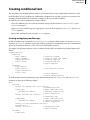
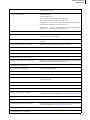
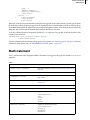
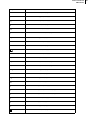
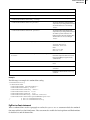
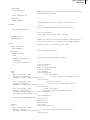
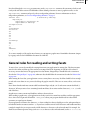
# end of TblColumn
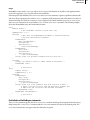
<TblColumn
<TblColumnNum 1>
# Second column.
<TblColumnWidth 1.5">
# Width of second column.
>
# end of TblColumn
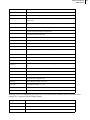
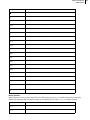
<TblCellMargins 6.0 pt 6.0 pt 6.0 pt 4.0 pt>
<TblLIndent 0.0">
# These are exactly like paragraph
<TblRIndent 0.0">
# format properties.
<TblAlignment Center >
<TblPlacement Anywhere >
<TblSpBefore 12.0 pt>
<TblSpAfter 12.0 pt>
<TblBlockSize 1>
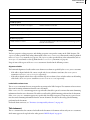
<TblHFFill 15>
# No fill for heading row.
<TblHFColor `Black'>
<TblBodyFill 5>
# Use 10% gray fill for main body rows.
<TblBodyColor `Black'>
<TblShadeByColumn No >
# Shade by row, not by column.
<TblShadePeriod 1>
# Shade every other row.
<TblXFill 15>
# No fill for alternate rows.
<TblXColor `Black'>
# Color for alternate rows.
<TblAltShadePeriod 1>
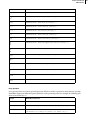
<TblLRuling `Thin'>
# Use thin left outside rule.
<TblBRuling `Thin'>
# Use thin bottom outside rule.
<TblRRuling `Thin'>
# Use thin right outside rule.
<TblTRuling `Medium'>
# Use medium top outside rule.
<TblColumnRuling `Thin'>
# Use thin rules between columns.
<TblXColumnRuling `Thin'>
<TblBodyRowRuling `Thin'>
# Use thin rules between rows.
<TblXRowRuling `Thin'>
<TblHFRowRuling `'>
# No rules between heading rows.
<TblSeparatorRuling `Medium'>
# Use medium rule after heading row.
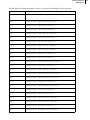
<TblXColumnNum 1>
<TblRulingPeriod 4>
<TblLastBRuling No >
<TblTitlePlacement InHeader>
# Place title above table.
<TblTitlePgf1
# Paragraph format for first
<PgfTag `TableTitle'>
# paragraph in title.
>
# end of TblTitlePgf1
<TblTitleGap 6.0 pt>
# Gap between title and table.
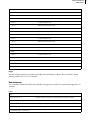
<TblInitNumColumns 2>
# Initial number of rows and
<TblInitNumHRows 1>
# columns for new tables with
<TblInitNumBodyRows 4>
# this format.
<TblInitNumFRows 0>
<TblNumByColumn No >
# end of TblFormat
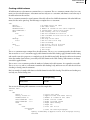
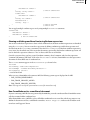
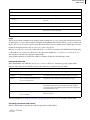
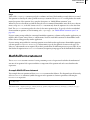
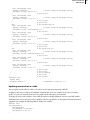
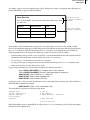
The TblColumn statement numbers each column and sets its width. A table can have more columns than TblColumn
statements; if a column does not have a specified format, the MIF interpreter uses the format of the most recently
defined column.
Note: A table instance must have at least one TblColumn statement. A table can use a format from the Table Catalog
that includes a TblColumn statement or it can include a local TblFormat statement that supplies the TblColumn
statement.
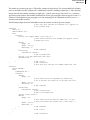
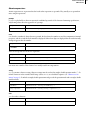
Adding a Table Catalog
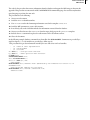
You can store table formats in a Table Catalog by using a TblCatalog statement. A document can have only one
TblCatalog statement, which must occur before the Tbls statement.