1
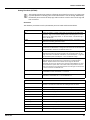
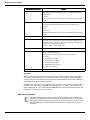
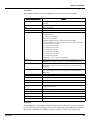
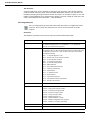
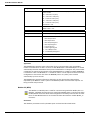
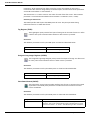
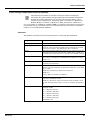
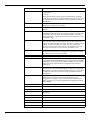
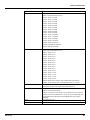
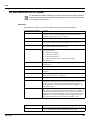
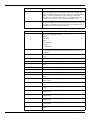
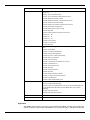
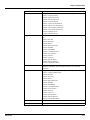
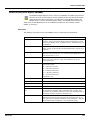
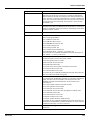
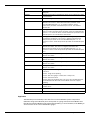
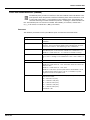
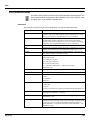
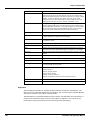
Dynamic Parameters
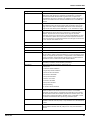
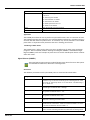
Function
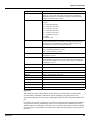
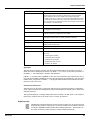
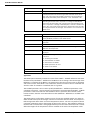
PntStatus
Byte value indicating status of point. Values are:
8203 & 8213:
0x0000: No Error
0x0001: No Response from Device
0x0002: Data Invalid
0x1000: W&M Seal is enabled
0x4000: Failure of the Model 8203 or Model 8213. This bit is set if the
Watchdog task on the Motherboard determines that the Model 8203, or
8213 has stopped updating.
0x8000: No Response (first pass)
8211 Only:
0x0000: No Error
0x0010: Device Not Responding
0x0020: CRC Error
0x0040: Invalid Command
0x0080: This bit is set if the Watchdog task on the Motherboard
determines that the Model 8211 has stopped updating.
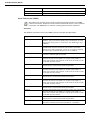
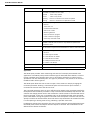
PntCheckSum
CRC-16 Checksum for point’s static Configuration Parameters.
WMChecksum
Weights & Measures Checksum. This parameter is calculated when the
WMSeal parameter is set to Enable.
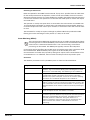
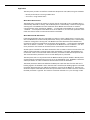
Application
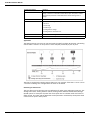
The Varec Tank Side Monitor can operate with a variety of protocols including: L&J Tankway,
Modbus, V1, Mark/Space, or Whessoe Bus. However the TM4590 point is only used when
communicating via V1, Modbus or Whessoe Bus. When using L&J Tankway, an LJ1000, LJ1500,
or LJ2000 point is used to communicate to the TM4590. When using Mark/Space, an MSTX point
is used. For more information on these other communications protocols, please consult the
Varec 8210 or 8215 manuals.
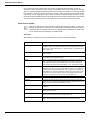
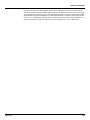
V1 Protocol
Using V1 Protocol, TM4590s are connected to a Model 8213 V1 Interface Module. The Model
8213 is automatically detected at startup, and a V1SCAN point is automatically created to
manage the scanning task. The Module and Chan parameters determine which Model 8213 will
be used, and to which channel on the 8213 TM4590 is connected. The ID must match the Device
ID of the TM4590.
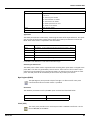
Modbus Protocol
Using Modbus Protocol, TM4590s are connected to a Model 8203 Dual RS-485 Module
configured with Modbus firmware (MODx_xx). The Model 8203 is automatically detected at
startup, and a MSCAN point is automatically created to manage the scanning task. The Module
and Chan parameters determine which Model 8203 will be used, and to which channel on the
8203 TM4590 is connected. The ID must match the Device ID of the TM4590.
Whessoe Bus Protocol
Using Whessoe Bus Protocol, TM4590s are connected to a Model 8211 Current Loop Module
configured with Whessoe Bus firmware (WBx_xx). The Model 8211 is automatically detected at
startup, and a WBSCAN point is automatically created to manage the scanning task. The Module
and Chan parameters determine which Model 8211 will be used, and to which channel on the
8211 the TM4590 is connected. The ID must match the Device ID of the TM4590.
112
Installation and Operations Manual