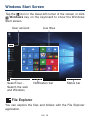
1
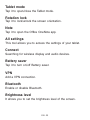
Settings
Allows you to access the settings of your tablet. Tap it to
enter the Settings screen.
Power
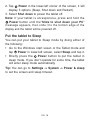
Tap
Power and it will display 3 options (Sleep, Shut down
and Restart).
• Sleep: Put it to sleep mode.
• Shut down: Shut down your tablet.
• Restart: Restart your tablet.
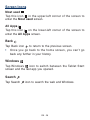
All Apps
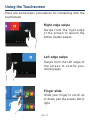
Tap
All Apps in the lower-left corner of the screen to
enter the All Apps screen.
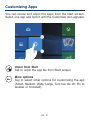
In All Apps screen, you can:
• Move the All Apps screen: Slide down or up.
• Open an App: Tap its icon.
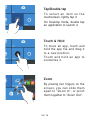
• Customize apps: Touch and hold one app then release
to show the options (Pin to Start/Unpin from Start, Pin to
taskbar and Uninstall).
Windows
Tap Windows
screen.
icon to open/close the Windows Star t
Tip: You can touch and hold the screen for 2 seconds then
release to show the right-click menu.
EN - 20