1
Appendix.fm Page 139 Saturday, September 10, 2011 6:51 PM
Appendix
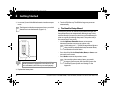
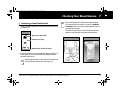
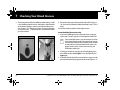
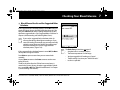
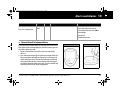
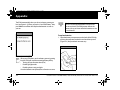
2. Insert 2 new AAA alkaline batteries into the compartment.
The diagram inside the compartment shows you
which direction to insert the batteries.
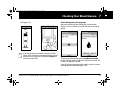
3. Replace the battery door.
4. Turn the PDM face up. The PDM powers on automatically.
The PDM is now ready to use. Dispose of the old batteries in
accordance with local waste disposal regulations.
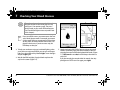
If the PDM becomes submerged in water
The PDM is not waterproof. Do not place it in water or leave it
near water where it can accidentally fall in. If it becomes submerged in water:
1. Dry the outside of the PDM with a clean, lint-free cloth.
2. Open the battery compartment; remove the batteries and
discard them.
3. Use a clean, lint-free cloth to gently absorb any water in the
battery compartment.
4. Leave the battery compartment door open until the PDM is
thoroughly dry.
5. Do not put in fresh batteries or attempt to use the PDM until
it has thoroughly air-dried.
If you drop the PDM
The PDM is built to withstand reasonable amounts of abuse, but
shock or a severe impact can damage it. If you drop the PDM or if
it is otherwise subjected to severe impact:
1. Inspect the outside of the PDM for visible signs of damage.
2. Press and hold the Power button to see whether the PDM
turns on and whether the LCD screen is damaged.
3. Inspect the inside of the battery compartment for visible
signs of damage.
4. Do NOT use the PDM if it appears damaged or is not working
as it should.
If you require assistance, contact Customer Care.
Never use a blow dryer or hot air to dry the Pod or
PDM. Extreme heat can damage the electronics.
Customer Care: 1 855 POD INFO (1 855 763 4636). Outside of Canada: 647-788-3132.
139