1
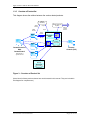
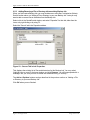
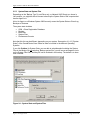
Agent 6.5 User’s Guide for Microsoft Windows 1.2 Agent for Windows Installation This chapter describes the steps required to install the Agent on a supported Windows machine. See the Release Notes for all supported versions. Note: To communicate with, configure and manage the VVAgent, the Windows CentralControl program must be installed on a supported Windows System. Note: The Agent can use alternate vaults, in a Vault Replication scenario. To do this the Agent has a list of alternate vaults that is created and overwritten whenever the Agent connects to a Vault. This list (file) has an .ALT extension, and is kept in the installation folder. 1.2.1 System Requirements (See the “Shipping Products Chart” for the most current version requirements. For 64-bit requirements, see the Release Notes.) Hardware CPU and RAM – Should meet the basic requirement of your Operating System, as prescribed by Microsoft. HDD – at least 100 MB of available disk space. Software OS – 32-bit editions of the following: 2000 Server & Advanced Server (SP4) / XP Professional (SP2) / 2003 Server (Standard, Enterprise, and Small Business) (SP1) and 2003 Server Standard & Enterprise R2 x86 Vista Home Basic, Home Premium, Business, Ultimate, and Enterprise x86 Server 2008 (Standard, Enterprise, and Datacenter) x86 OS – 64-bit editions of the following: XP Professional (SP2) Vista Home Basic, Home Premium, Business, Ultimate, Enterprise 2003 Server Standard & Enterprise (SP2), R2 (SP2) Server 2008 (Standard, Enterprise, and Datacenter) Network – A TCP/IP stack (for communicating with the Vault Director and CentralControl software). Optional Open File Software for the Windows Agent: • Open Transaction Manager * - OTM 1.12.211 for Windows (included in the installation kit). OR … • Open File Manager ** - OFM 10 (not included – available separately). *OTM is a product of Columbia Data Products. See the CentralControl Help files or the CentralControl User’s Guide for configuration details. **OFM is a product of EVault Software. See the CentralControl Help files or the CentralControl User’s Guide for configuration details. Introduction and Installation Page 11 of 121