1
FriendlyARM English User Manual
Rev.01 (20090909)
5.4.1 Installing the source code extract
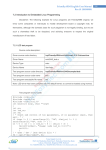
First create a working directory 6/opt/FriendlyARM/mini24408 at the command line
6mkdir -p /opt/FriendlyARM/mini24408, figure, all source code later step will extract installer to
this directory:
(1) Linux source code package ready
Fedora 9 system in the 6/tmp8 directory, create a temporary directory 6/tmp/linux8
#mkdir /tmp/linux
Description: This is to following steps, in fact you can use a different directory, you can
extract directly from the CD-ROM installation.
(2) Extract the installation of the Linux kernel source code
In the working directory 6/opt/FriendlyARM/mini24408 execute:
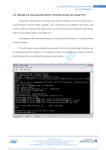
#cd /opt/FriendlyARM/mini2440
#tar xvzf /tmp/linux/linux-2.6.32.2-mini2440-20100106.tar.gz
Will create a generation linux-2.6.32.2 directory, which contains a complete Linux
2.6.32.2 kernel source code
Description: 20100106 distribution date our logo, to the actual date of the CD suffix
prevail.
Venus Supply Co., Ltd.
196/1, Soi Thedsaban-Nimit-Nau 8, Thedsaban-Nimit-Nau Road,
Ladyao, Chatuchak, Bangkok, 10900, Thailand
Tel. +(66)2954-2408 , Fax. +(66)2953-8443, Website: www.thaieasyelec.com
308