1
Digital
Input-Modul
11
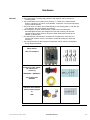
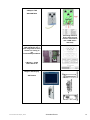
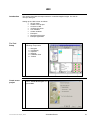
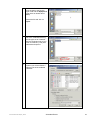
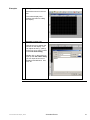
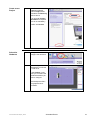
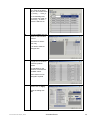
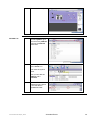
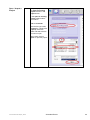
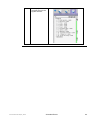
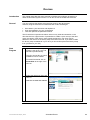
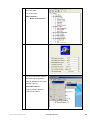
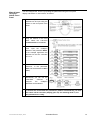
Back in TwidoSuite, the
configured Slaves are
now listed in the entry for
the CANopen Master.
1
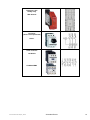
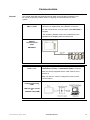
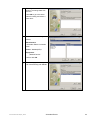
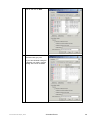
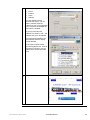
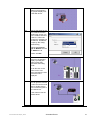
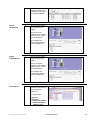
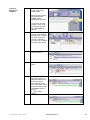
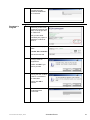
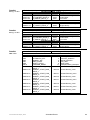
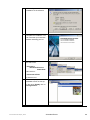
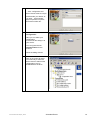
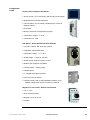
click on the the digital
input module in the
graphic.
The list of Inputs
appears for the module.
Symbol names can be
input and applied.
The variables are
automatically inserted
into the variable list
Digital
Output-Modul
1
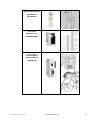
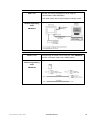
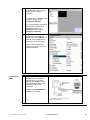
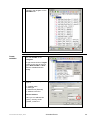
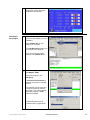
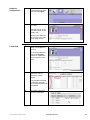
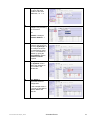
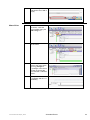
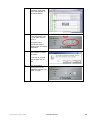
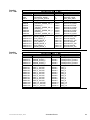
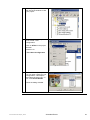
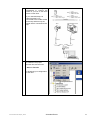
click on the the digital
output module in the
graphic.
The list of outputs
appears for the module.
Symbol names can be
input and applied.
The variables are
automatically inserted
into the variable list
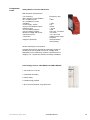
Drive Macros
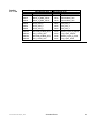
1
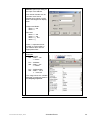
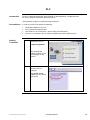
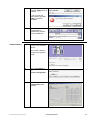
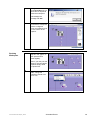
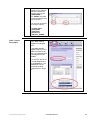
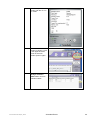
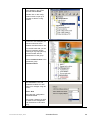
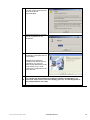
To use the TwidoSuite
macros for the Altivar 31,
they must first be
configured.
To do this select:
Program->
Configure->
Configure the Data->
Advanced object->
Macros drive
Twido and Altivar with C ANopen_EN.doc
Schneider Electric
46