1
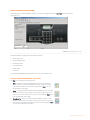
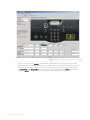
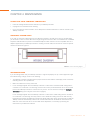
FIGURE 2.7 Customizing room audio keys
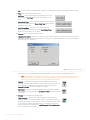
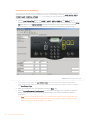
Depending on which key you choose to customize, some fields in the Command Editor and Status Editor
at the bottom of the Controller Builder window will be editable and some will not. For example, if you are
customizing the MUTE key and choose the MUTE command, then you will only be able to select the
device, DID, channel, group, and value for the command, but the results that occur when you press or
release the key are defined by default and not editable, as shown by the grayed out fields in the Status
Editor (see Figure 2.8).
Chapter 2: Getting Started
11