1
Spry Data Sets
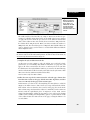
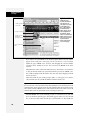
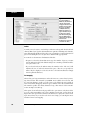
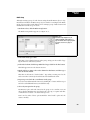
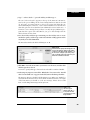
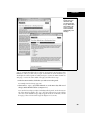
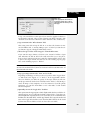
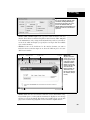
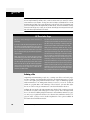
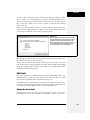
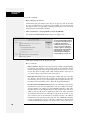
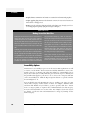
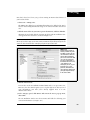
7. Click OK to insert the Spry Region.
Dreamweaver inserts the <div> (or <span> depending upon your choice in
step 2) in the page, and then adds the proper code to mark it as a Spry Region.
You can insert anything inside this region, even non-Spry stuff such as tables,
other divs, images, and so on. In addition, you’ve now enabled that area so that
it’s ready to accept Spry data using the Bindings panel—or one of the Spry data
tools discussed in the following pages.
Warning: Spry data sets add invalid HTML to a Web page. To make all the Spry XML magic happen,
Dreamweaver inserts invalid HTML attributes like spry:repeat and spry:region to <div> and <span> tags.
The Web page no longer passes muster as proper HTML. The page still works in Web browsers, but it’s
harder for you to locate any invalid HTML that might actually affect how your page displays in a Web
browser (see page 593 for more on validation). Note that the other Spry widgets discussed in this chapter, as well as Spry Effects, Spry Menu Bars, and Spry Validation widgets, do not insert invalid HTML. The
Spry data set is the only culprit.
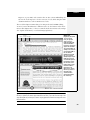
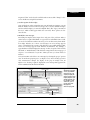
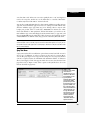
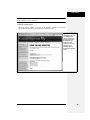
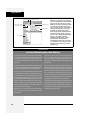
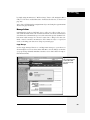
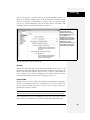
The Bindings Panel
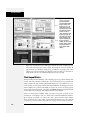
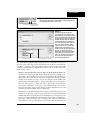
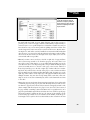
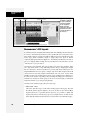
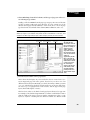
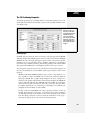
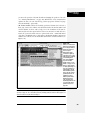
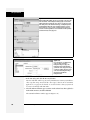
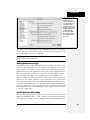
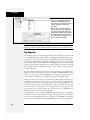
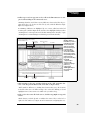
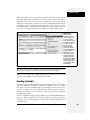
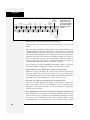
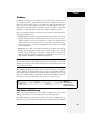
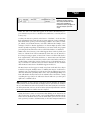
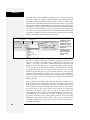
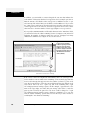
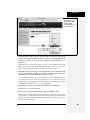
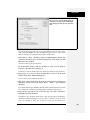
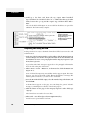
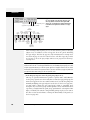
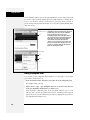
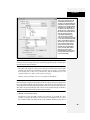
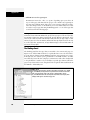
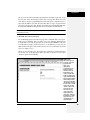
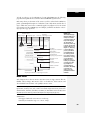
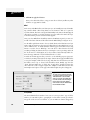
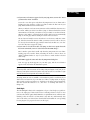
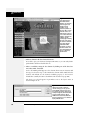
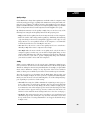
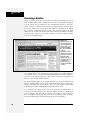
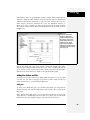
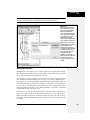
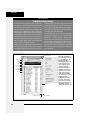
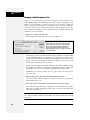
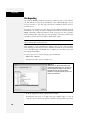
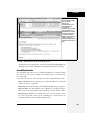
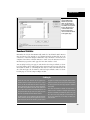
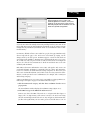
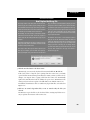
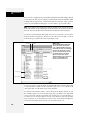
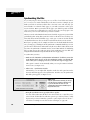
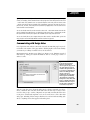
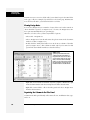
The bindings panel lists the Spry data sets attached to the current Web page (see
Figure 12-14). All the XML elements for a particular data set are also listed there.
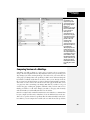
You can drag an element from the Bindings panel into any Spry Region on a page.
In Design view, the element is just a placeholder for the XML element—its name
surrounded by braces like this: {employee}. Dreamweaver adds a blue background
to the placeholder to make it easy to identify as a special Spry element. When the
page is viewed in a Web browser, that placeholder is replaced with actual data from
the XML file—like Frank Jones.
Figure 12-14:
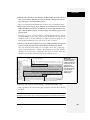
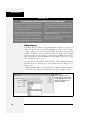
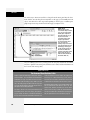
The Bindings panel adds three elements to the bottom of each data set: ds_RowID,
ds_CurrentRowID, and ds_RowCount. ds_RowCount is the number of items in the
data set. Each item in the data set has its own ds_RowID number, and the
ds_CurrentRowID indicates the currently active row, which comes into play when
adding a detail region as described on page 495.
488
Dreamweaver CS3: The Missing Manual