1
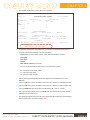
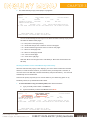
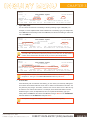
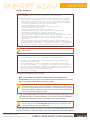
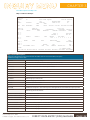
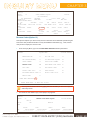
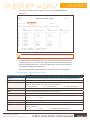
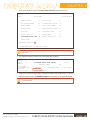
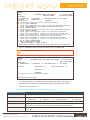
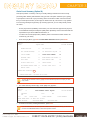
INQUIRY MENU
MAP1731
XX/XX/XX
XXXXXX
XX:XX:XX
STARTING
ICD9 CODE
1630
1631
1638
1639
1640
1641
1642
1643
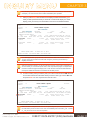
CHAPTER 3
CGS J15 MAC – Part A REGION
SC
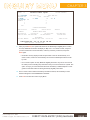
ICD-9-CM CODE INQUIRY
ACPFA052
C201135E
ICD9 CODE: 1630
DESCRIPTION:
EFFECTIVE/TERM DATE
EFFECTIVE/TERM DATE
MAL NEO PARIETAL PLEURA
100185 093012
MAL NEO VISCERAL PLEURA
100185 093012
MALIG NEOPL PLEURA NEC
100185 093012
MALIG NEOPL PLEURA NOS
100185 093012
MALIGNANT NEOPL THYMUS
100185 093012
MALIGNANT NEOPL HEART
100185 093012
MAL NEO ANT MEDIASTINUM
100185 093012
MAL NEO POST MEDIASTINUM
100185 093012
EFFECTIVE/TERM DATE
PLEASE MAKE A SELECTION, ENTER NEW KEY DATA, PRESS PF3-EXIT, PF6-SCROLL FWD
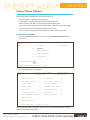
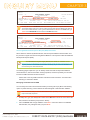
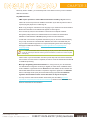
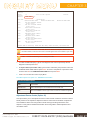
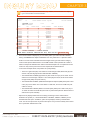
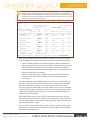
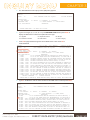
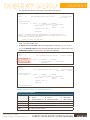
If more than one of the same code is listed, be sure to review the description, effective and
termination dates, and use the most current code that applies to the service dates on your claim.
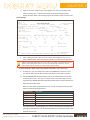
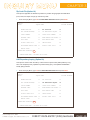
Press F6 to scroll forward through the list of diagnosis codes.
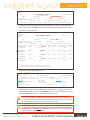
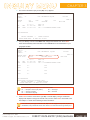
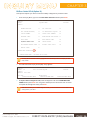
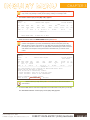
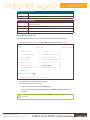
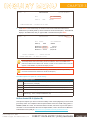
4. To make an additional inquiry, type the new diagnosis code over the previously entered
diagnosis code and press Enter.
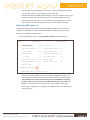
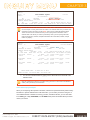
5. To inquire about a procedure code, type the letter P followed by the procedure code in the
STARTING ICD9 CODE field and press Enter. To review a complete list of procedure codes,
enter the letter P in the STARTING ICD9 CODE field and press Enter.
6. Press F3 to exit and return to the Inquiry Menu.
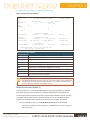
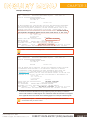
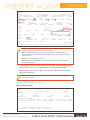
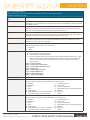
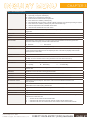
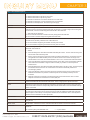
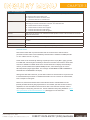
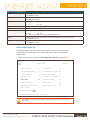
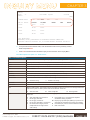
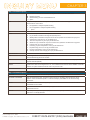
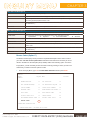
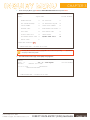
Field Descriptions for Option 15 – DX/PROC Codes ICD-9
Map 1731 Field Descriptions
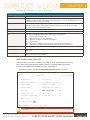
STARTING ICD9
CODE
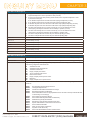
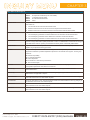
ICD-9-CM code. The ICD-9-CM code identifying a specific diagnosis
or procedure.
DESCRIPTION
ICD-9-CM description. The narrative for the ICD-9-CM code.
EFFECTIVE/TERM
DATE
Effective/termination date. The effective and/or termination date for the ICD-9CM code in MMDDYY format. (Up to three occurrences of dates can appear.)
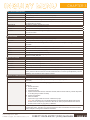
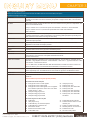
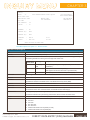
Adjustment Reason Codes (Option 16)
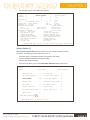
This option allows you to view adjustment reason codes and their narratives. Use these codes to
identify reasons for an adjustment. Adjustment reason codes must be submitted on adjustment
and cancellation claims when using FISS to submit these type of billing transactions. See
Chapter 5 of this guide for additional information about using FISS to submit adjustment and
cancellation claims.
Created August 22, 2014.
© 2014 Copyright, CGS Administrators, LLC.
DIRECT DATA ENTRY (DDE) MANUAL
PAGE 37