1
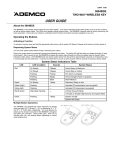
This device may not receive the system
status properly if it operates within a few feet
of the 5881 RF receiver.
WARNING!
SYSTEM STATUS INDICATIONS TABLE
LED
Red
Green
Yellow (right)
Red & Green
Green
LED Condition
On Steady
On Steady
Flashing
Flashing
Flashing
On Steady
Flashing
Flashing
Alternately Flashing
Flashing
Flashing
Sounder
2 Beeps
3 Beeps
Pulsing
Steady
Silent
1 Beep
Silent
Silent
Silent
Pulsing
Silent
System Status
Armed Away or Maximum
Armed Stay or Instant
Fire Alarm in progress
Armed, Burglary Alarm in progress
Alarm Memory
Disarmed, Ready to Arm
Disarmed, Not Ready to Arm
Indicates RF transmission
In Enter House ID Mode
System in Trouble
System Not Ready
MULTIPLE BUTTON OPERATIONS
The 5804BD can generate the same responses as keypad
panic key pairs of [✶] + [#] and [✶] + [1] by depressing “A” +
“C” and “B” + “D” button pairs, respectively. You must
depress the button pair for at least two seconds for the
5804BD to recognize the button pair command. These button
pairs allow the user to activate panic, fire, and medical alarms
depending on control panel programming.
Low-Battery Indication
When the unit goes into a low battery condition, the yellow LED will not flash when a button is pressed. Change both
batteries immediately.
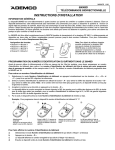
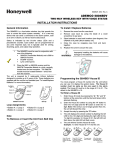
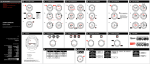
TO INSTALL / REPLACE BATTERIES
1.
2.
3.
4.
5.
Remove the screw from the case back.
Remove case back by using the blade of a small screwdriver to pry open.
Place batteries in case back locations (see diagram). Use CR2430 or DL2430
Lithium battery only.
Close the case by snapping case front and back together.
Replace the screw to secure the case.
Improperly installing the batteries will
cause damage to the batteries.
WARNING!
TO REMOVE OR INSERT THE UNIT
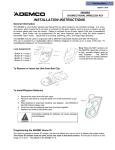
FROM BELT CLIP