1
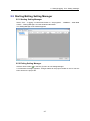
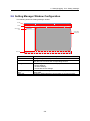
2. Setting/Logging Tool: Setting Manager
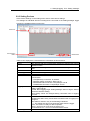
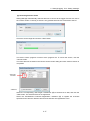
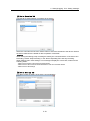
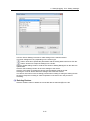
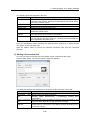
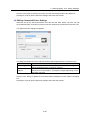
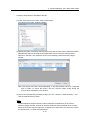
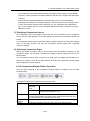
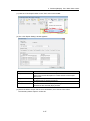
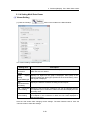
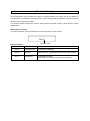
The “Add Device” dialog box provides the following setting items:
Item
Description
Name
Enter a user-defined name for the device.
Device Type
Select the type of the device in the device type list displayed in
the window.
Setting Items
The settable items vary depending on the device type selected in
the device type selection box.
Simultaneous
Select this checkbox to register the channels specified for the
Channel
device. Both the device and channels are registered at once.
Registration
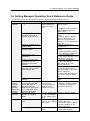
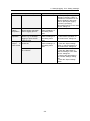
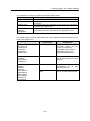
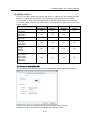
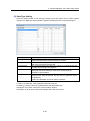
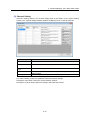
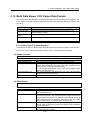
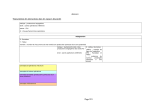
The following table shows the setting items that can be specified for individual options in the
device type selection box.
Device type selection box
Connection unit
Setting items (Setting data
selection box
display area)
ZN-PD03-S/ZN-PD50-S
PC
Connection device, IP address,
ZN-THX21-S
Recording interval, and the
ZN-DPX21-S
number of connections
ZN-CTX21
(ZN-KMX21, D6FZ-FGX21)
ZN-KMX21
With/Without ZN-TH11-S
D6FZ-FGX21
(ZN-PD03-S/ZN-PD50-S)
WZ-STH01
WZ-SL01
WZ-STHL01
WZ-SCD01
Wireless master name
Connection device, Wireless
unit ID, Recording interval, and
Timeout
KM20-B40
KM50-E
KM50-C
KM-100
KM1-PMU2A
KM1-PMU1A
KE1-CTD8E
KM1-EMU8A
ZN-PD03-S
ZN-PD50-S
Wireless slave name
Connection
CompoWay/F unit
Recording interval
CompoWay/F adapter
name
Connection unit, CompoWay/F
unit ID, and Recording interval
2-16
device,
ID, and