1
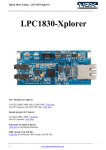
User Manual: LPC1830-Xplorer
Table of Contents
1.0 INTRODUCTION ................................................................................................................................. 4
2.0 LPC1830-Xplorer Development Tool Setup ......................................................................................... 5
2.1 ULINK2/ME and KEIL..................................................................................................................... 5
2.2 Installation & Configuration of KEIL software ................................................................................ 5
2.3 Configuration of ULINK2/ME Debugger ......................................................................................... 9
2.4 Configuring External Quad Flash.................................................................................................... 10
2.5 Setup for ULINK2/ME and LPC1830 Xplorer Board .................................................................... 12
3.0 LPC1830 Xplorer firmware Development .......................................................................................... 17
3.1 Creating the sample (Blinky) project in KEIL ................................................................................ 17
3.2 Executing the sample project in KEIL ............................................................................................ 33
4.0 Restoring Xplorer to Factory Defaults ................................................................................................ 35
4.1 ULINK2/ME and KEIL................................................................................................................... 35
5.0 Schematic & Board Layout ................................................................................................................. 36
5.1 Schematic ........................................................................................................................................ 36
5.2 Board layout .................................................................................................................................... 36
6.0 CHANGE HISTORY .......................................................................................................................... 37
6.1 Change History ................................................................................................................................ 37
3
www.ngxtechnologies.com