1
1. Introduction:
EngCalc is a Powerful calculator tool for Engineering professionals. It
combines performance & accuracy which enables to perform complex engineering
calculations. Embedded is another great tool - MxCalc SE, for Converting Units (Most
comprehensive converter available) & Evaluating Expressions.
New Features:
¾
¾
¾
¾
¾
¾
¾
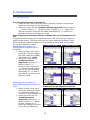
Supports High Resolution (320x320)
Search feature to quickly access the calculators.
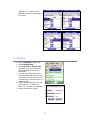
Calculations in US units or Metric units. Apply settings for all the
calculators.
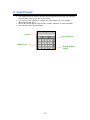
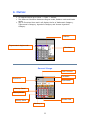
Includes large input panel to enter values.
Mostly operated with finger, no need of stylus.
Uniquely designed Calculator display for accepting Inputs.
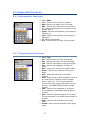
In-place Unit Conversion to switch between US-Metric units for single
Input/Output.
1.1 Installation/Uninstallation
Installation
The EngCalc program package is packaged separately for PalmOS 3.x to 4.x and
PalmOS 5.x & HiResolution devices. To know the version of PalmOS running on the
device go to the Main Application screen where you see all the application in the
device. Please go to Menu - > Info -> Version (tab). The version is mentioned on the
top of the screen as PalmOS Software vx.x. To know the Resolution information, see
the device manual.
¾
¾
¾
¾
¾
For Palm OS 5.x loaded devices with resolution 160x160 ( e.g. Treo 600) install
the EngCalc-Full-5x-Install.prc
For Palm OS 3.0 to 4.x loaded devices with resolution 320x320 & True HiRes (
e.g. Treo 650 & later)install the EngCalc-Full-3x-Install.prc
For Palm OS 5.x loaded devices with resolution 320x320 & True HiRes ( e.g. Treo
650 & later) EngCalc-Full-HR-5x-Install.prc
The following message will appear in case you have installed a wrong file.
"This version of the Booster is not valid for your device. Please visit ............... "
You need to then reinstall the program. For this delete the following files from the
device & install the correct PRC file.
ASFXfix
BasicIngots - BASI
Booster
ConstUnitConverter.
3