1
Installation
Zemana AntiLogger has a standard installation program. You can use this to install the product for the first time, or
to repair an existing installation.
System requirements
For seamless operation of Zemana AntiLogger, the system should meet the following hardware and software
requirements:
Supported operating systems:
Windows XP\Vista\7\8 (32bit and 64bit)
Hardware requirements:
Intel Pentium 300 MHz or higher (or equivalent)
256 MB available RAM
50 MB free space on the hard drive
CD-ROM (for installation of the program from CD)
Procedure
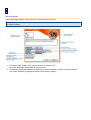
The installation wizard offers you a choice of language support. You can change this later using the General
Settings.
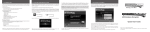
1. If required, download the installation file (AntiLogger_version.exe). If it doesn't run automatically, doubleclick the file.
The installer starts.
(If installing from the CD: If the wizard does not autorun when you insert the CD, double click the CD icon.)
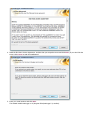
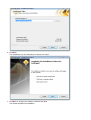
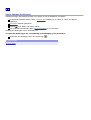
2. Click through the wizard. (See The Installation wizard in detail.)
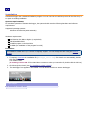
3. The AntiLogger Icon appears in the toolbar. You can double-click this to access AntiLogger.
In This Chapter
The installation wizard in detail