1
Draw and Edit
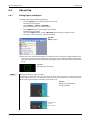
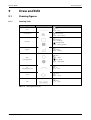
Drawing Figures
Drawing figures using the tools
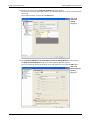
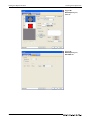
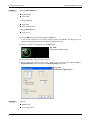
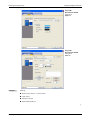
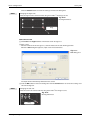
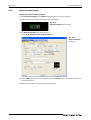
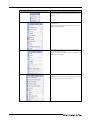
Polygon:
Drag from start point 1) to end point 2)
of the first side, and release the left button of the mouse.
A dashed line is displayed. Click at the
end point of next side 3).
Repeat the operation in 3) until the desired figure is drawn. Double click 4) to
complete drawing.
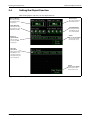
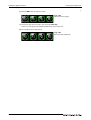
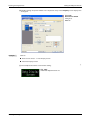
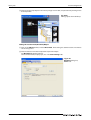
Arc:
Drag from start point 1) to end point 2)
to determine the radius of arc.
A dashed line is displayed inside
the circle.
Click the left mouse button at the start Click end point 4) to complete drawing.
point of arc 3), and move the cursor to
end point 4).
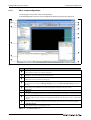
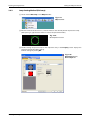
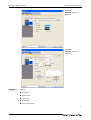
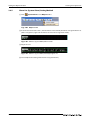
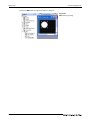
Sector:
Drag from start point 1) to end point 2)
to determine the radius of arc.
A dashed line is displayed inside
the circle.
Click the left mouse button at the start
point of arc 3), and move the cursor to
end point 4).
Click end point 4) to complete
drawing.
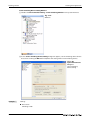
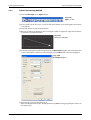
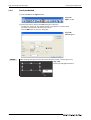
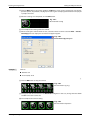
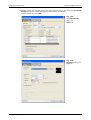
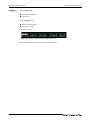
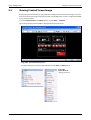
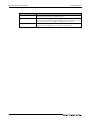
Scale: Drag from start point 1) to end point 2), and release the left button of the mouse.
Draw while pressing the Shift key:
A scale with the same vertical and horizontal sizes can be drawn.
Draw while pressing the Ctrl key:
A scale can be drawn from the start
point as a center.
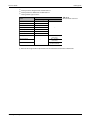
Tab. 9-2: Drawing figures using tools (2)
GT Designer3 Beginner's Manual
9-3